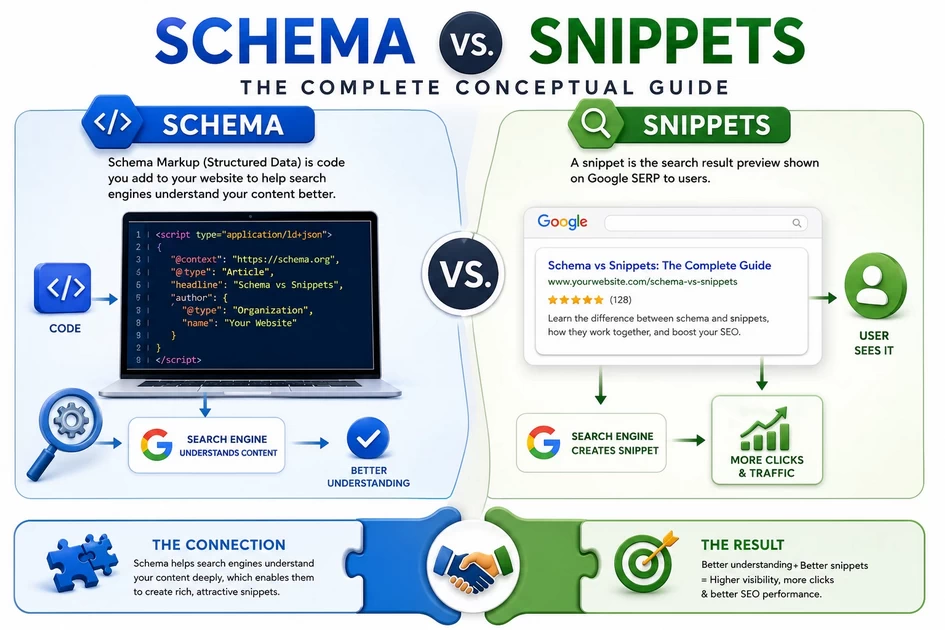
🏛️ Grounding Method Framework
Schema = The X-ray of your content
Snippet = The MRI image that gets displayed
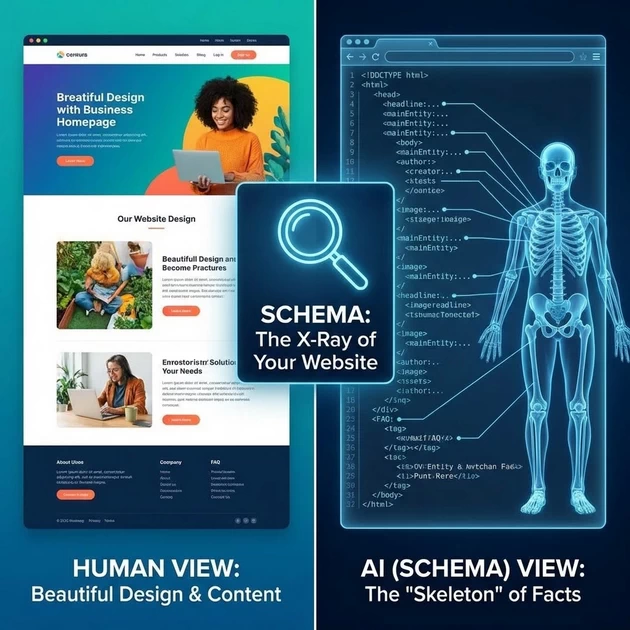
Think of this as medical diagnostics:
Your content = The patient’s body
Schema = The X-ray film showing the skeletal structure
Snippet = The clear medical report the doctor shows you
PART 1: WHAT IS SCHEMA? (The INVISIBLE Structure)
Conceptual Explanation:
Schema is the universal language for labeling your content’s meaning. It’s like putting nutrition labels on every piece of information you publish.
Real-Life Analogy 1: The Airport Baggage System
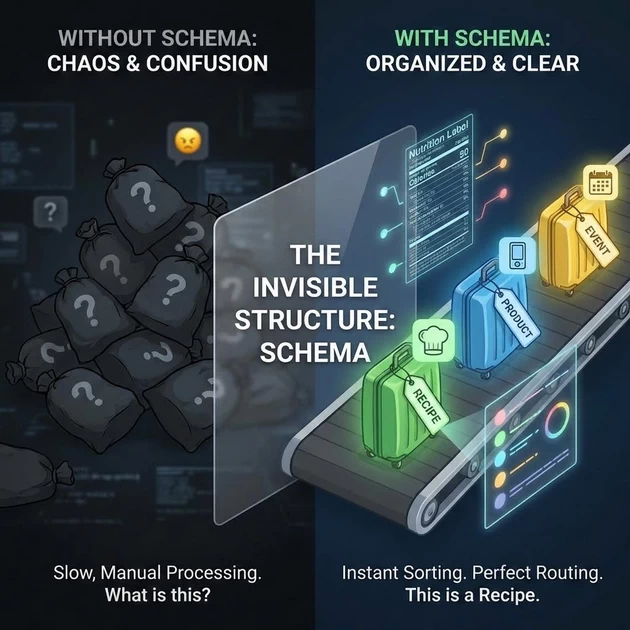
Imagine your website content as luggage at an airport.
Without Schema:
All bags are black, no tags.
Airport workers must OPEN every bag to see:
• Is this fragile?
• Is this going to London or Tokyo?
• Is this perishable?
Result: Total chaos, slow processing.
With Schema:
Every bag has COLOR-CODED TAGS:
• 🟢 Green = Fragile (Recipe schema)
• 🔵 Blue = Electronic (Product schema)
• 🟡 Yellow = Perishable (Event schema)
• 🔴 Red = Dangerous (Don't index)
Result: Instant sorting, perfect routing.
The Grounding Method:
Schema doesn’t change the CONTENT (what’s in the bag). It changes how Google’s AI UNDERSTANDS and CATEGORIZES it.
Real-Life Analogy 2: The Museum Catalog
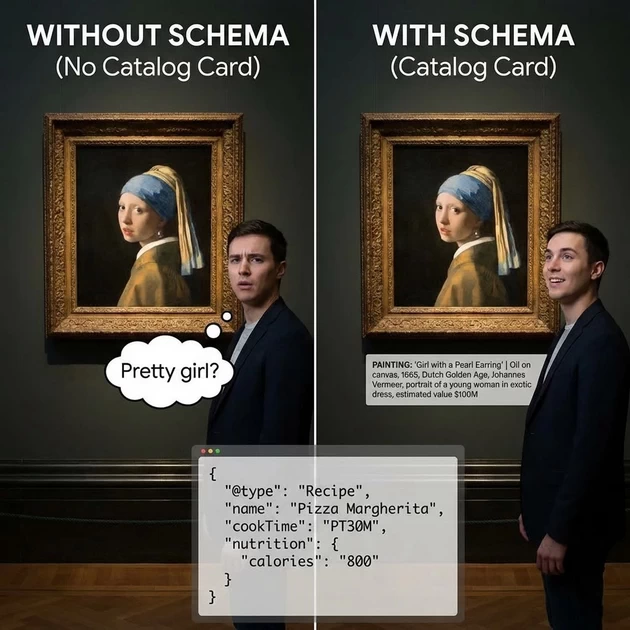
Your website = A huge art museum
Your articles = Paintings on walls
Schema = The catalog cards under each painting
PAINTING: "Girl with a Pearl Earring"
WITHOUT CATALOG: Visitors guess: "Pretty girl?"
WITH CATALOG CARD: "Oil on canvas, 1665, Dutch Golden Age, Johannes Vermeer, portrait of a young woman in exotic dress, estimated value $100M"

Schema gives CONTEXT that humans might miss.
Technical Grounding:
Schema = JSON-LD code in your page’s HTML that says:
{
  "@type": "Recipe",
  "name": "Pizza Margherita",
  "cookTime": "PT30M",
  "nutrition": { "calories": "800" }
}
This code is invisible to humans but gold to Google’s AI.
PART 2: WHAT IS A SNIPPET? (The VISIBLE Result)
Conceptual Explanation:
A snippet is HOW your schema-enhanced content APPEARS in search results. It’s the visible reward for using schema correctly.
Real-Life Analogy 1: The Restaurant Menu
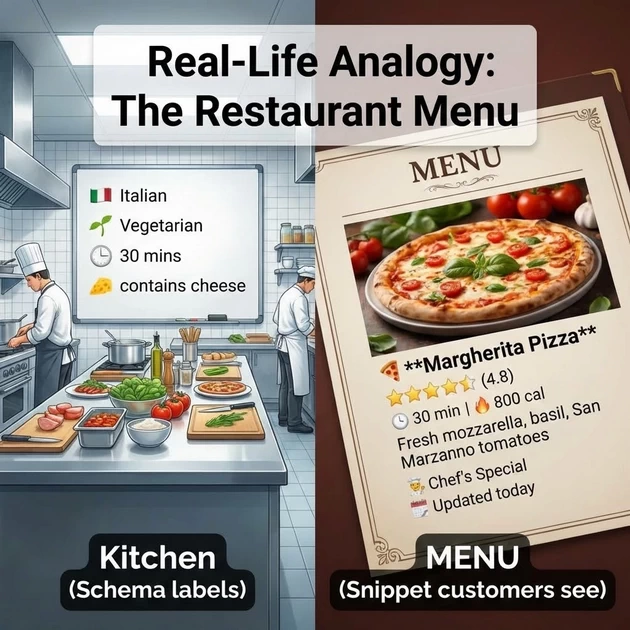
Your website = A restaurant kitchen
Your content = The food you cook
Schema = The chef’s recipe cards
Snippet = The menu description customers see
KITCHEN (Schema labels): • "Italian, Vegetarian, 30 mins, contains cheese" MENU (Snippet customers see): 🍕 **Margherita Pizza** ⭐⭐⭐⭐⭐ (4.8) | 🕒 30 min | 🔥 800 cal Fresh mozzarella, basil, San Marzano tomatoes 👨🍳 Chef's Special | 📅 Updated today
Real-Life Analogy 2: The Real Estate Listing

Your house = Your webpage content
Blueprints = Schema (structural details)
Real estate ad = Snippet (what buyers see)
BLUEPRINTS (Schema):
• 3 bedrooms, 2 baths, 2000 sq ft
• Built 2020, solar panels
• School district: A+

REAL ESTATE AD (Snippet):
🏡 **Modern 3BR Family Home**
💰 $450,000 | 🛏️ 3BR | 🛁 2BA | 📏 2000 sq ft
⭐️ Energy efficient | 🏫 Top-rated schools
📞 Schedule a viewing today!
Master Class :- Manual Schema Injection & Rank Math Integration
In this guide, we are moving beyond “Plugin clicking.” We are going to manually inject How-To and FAQ Schema into a live article and verify it using Google’s own tools.
Our Live Case Study: ASUS H310M-E Motherboard Restarting Fix
Part 1: The “Before” Check (Establishing the Baseline)
Before we add any code, we must prove the site is “empty” of structured data.
View Source: Right-click on the live article and select “View Page Source.” Use
Ctrl + Fto search for “schema” or “FAQ.” You will see it’s missing.Rich Result Test: Paste the URL into the Google Rich Results Test.
Result: “No rich results detected.”
Schema.org Validator: Check the URL on validator.schema.org. It will only show basic “WebPage” data.
Part 2: Manual Injection of FAQ Schema
Now, we act as the “Bridge” between the content and the search engine.
Step 1: Inserting the HTML Block
Open your WordPress Editor (Gutenberg) or Elementor.
Drag an HTML Block to the top of the page.
Paste the FAQ JSON-LD code (wrapped in
<script>tags).
Step 1: Inserting the HTML Block
Open WordPress Editor or Elementor.
Drag a Custom HTML Block to the top of the post.
Paste the following code:
HTML
<script type="application/ld+json">
{
  "@context": "https://schema.org",
  "@type": "FAQPage",
  "mainEntity": [
    {
      "@type": "Question",
      "name": "Why does my ASUS H310M-E restart without a Blue Screen (BSOD)?",
      "acceptedAnswer": {
        "@type": "Answer",
        "text": "Sudden restarts without a blue screen are usually hardware-level power failures. Common causes include a failing PSU, VRM overheating, or a short circuit on the motherboard."
      }
    },
    {
      "@type": "Question",
      "name": "Can a BIOS update fix random restarts?",
      "acceptedAnswer": {
        "@type": "Answer",
        "text": "Yes, if the restart is caused by RAM compatibility issues or power management bugs, updating to the latest BIOS version can stabilize the system."
      }
    },
    {
      "@type": "Question",
      "name": "What are the normal voltage ranges for a stable motherboard?",
      "acceptedAnswer": {
        "@type": "Answer",
        "text": "For stability, the 12V rail should stay between 11.4V–12.6V, the 5V rail between 4.8V–5.2V, and the 3.3V rail between 3.2V–3.4V."
      }
    },
    {
      "@type": "Question",
      "name": "Does VRM overheating cause ASUS H310M-E to restart?",
      "acceptedAnswer": {
        "@type": "Answer",
        "text": "Yes. The ASUS H310M-E has a basic VRM design. If you use a high-TDP processor or have poor cabinet airflow, the VRMs can exceed 100°C, triggering a thermal restart to protect the hardware."
      }
    }
  ]
}
</script>
Step 2: Verification
Rich Result Test: Run it again. Boom! Google now shows a green checkmark for “FAQ.” This is how you win “Real Estate” on the search page.
Step 2: The Verification Loop
View Source: Refresh the live page. Search
Ctrl + Ffor “FAQPage.” You will now see your code sitting in the HTML.Rich Result Test: Re-run the test. Boom! Google now shows a green checkmark for “FAQ.”
Part 3: Adding the How-To Schema (Layering Data)
We will now add a second layer of data without breaking the first.
Step 1: Second HTML Block
Add another HTML Block below the first one and paste your HowTo JSON-LD code.
Step 2: Verification
Rich Result Test: The tool will now show two detected items: FAQ and HowTo. This proves Google can read multiple “stories” on one page.
Part 4: The Deletion Test (Understanding Persistence)
To show students that the code is the only thing Google cares about:
Delete the FAQ HTML block but keep the HowTo block.
Verify: Run the Rich Result test again. The FAQ will vanish, but the HowTo remains.
The Lesson: This proves that Schema is not “magic”—it is a physical script that must exist on the page to work.
Part 5: The “Pro Way” – Importing JSON into Rank Math
Manual blocks are great for learning, but for professional management, we use Rank Math’s Meta Box.
Step-by-Step Import:
Open the Post: Go to the Rank Math SEO settings in the sidebar.
Navigate to Schema Tab: Click the Schema icon (the document icon).
Click “Schema Generator”: Instead of picking a template, look for the “Import” tab at the top.
Paste JSON/HTML: You can either paste your JSON code or even a URL of a page that already has schema.
Save: Rank Math will now “absorb” that manual code and manage it automatically!
🏛️ Grounding Method: The “Building Blueprint”
Analogy for Students: “When we use an HTML block, we are manually taping a ‘Note’ to the wall for Google to read. When we import it into Rank Math, we are officially adding that note into the Architect’s Blueprint. It’s cleaner, safer, and much more professional.”
Why this works for GEO/AEO:
By showing the View Source, you are proving to your students that AI models (LLMs) are “Code Readers.” If the code is there, the AI can “understand” the repair steps for the ASUS H310M-E. If the code is gone, the AI is just “guessing.”