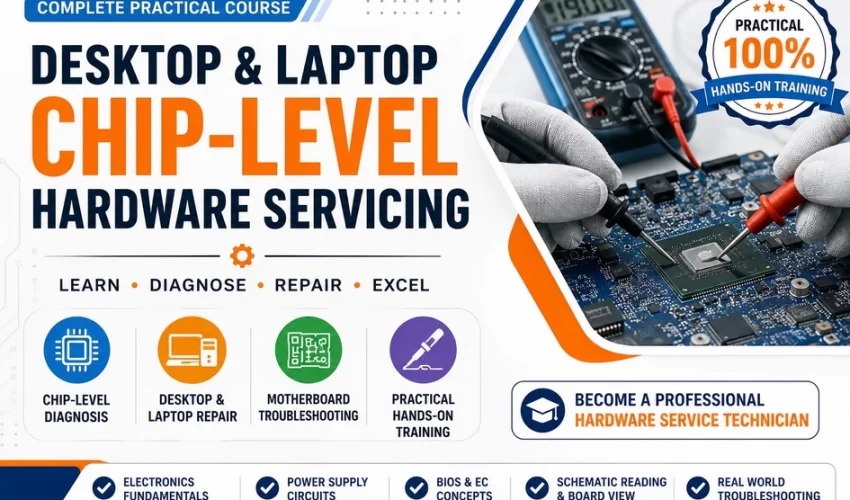
Professional Desktop & Laptop Chip-Level Servicing
1. Fundamentals of Electricity
- What is electricity?
- Voltage (V)
- Current (A)
- Resistance (Ω)
- Power (W)
- Energy
- AC vs DC
- Positive, negative and ground
- Open circuit vs short circuit
- Series and parallel circuits
- Ohm’s Law
- Power calculation
- Voltage drop
- Current flow concepts
2. Understanding Electrical Measurements
- Voltage measurement
- Resistance measurement
- Continuity testing
- Current measurement
- Diode-mode measurement
- Understanding multimeter symbols
- How to use a digital multimeter
- Common measurement mistakes
- Safe measurement techniques
3. Resistors
- What is a resistor?
- Working principle
- Types of resistors
- Carbon resistor
- Metal film resistor
- SMD resistor
- Variable resistor / potentiometer
- Resistor colour code
- SMD resistor markings
- Resistance measurement
- Resistor failure modes
- Pull-up resistor
- Pull-down resistor
- Current limiting resistor
- Voltage divider
4. Capacitors
- What is a capacitor?
- Working principle
- Capacitance
- Unit: pF, nF, µF
- Ceramic capacitor
- Electrolytic capacitor
- Tantalum capacitor
- SMD capacitor
- Polymer capacitor
- Polarized vs non-polarized capacitor
- Capacitor charging and discharging
- Filtering
- Decoupling
- Coupling
- Capacitor failure
- Shorted capacitor
- Leaking capacitor
- ESR concept
5. Inductors / Coils
- What is an inductor?
- Working principle
- Inductance
- Unit: Henry
- SMD coils
- Power inductors
- Chokes
- Ferrite beads
- EMI filtering
- Coil failure
- Open coil vs shorted coil
6. Diodes
- What is a diode?
- PN junction concept
- Forward bias
- Reverse bias
- Diode working principle
- Rectifier diode
- Schottky diode
- Zener diode
- TVS diode
- LED
- SMD diode identification
- Diode-mode testing
- Shorted diode
- Open diode
7. Transistors
- What is a transistor?
- BJT
- NPN
- PNP
- MOSFET
- N-Channel MOSFET
- P-Channel MOSFET
- Gate, Drain and Source
- MOSFET working principle
- MOSFET as a switch
- High-side MOSFET
- Low-side MOSFET
- MOSFET testing
- Common MOSFET failures
8. Voltage Regulation Components
- Voltage regulator concept
- Linear regulator
- LDO
- Switching regulator
- Buck converter
- Boost converter
- Buck-boost converter
- PWM controller
- Feedback circuit
- Reference voltage
- Enable signal
9. ICs
- What is an IC?
- Types of IC packages
- SMD IC identification
- Controller IC
- Power IC
- Charging IC
- Audio IC
- BIOS/Flash IC
- Embedded Controller
- Super I/O
- PWM IC
- PCH / chipset
- CPU/GPU basics
10. Transformers
- Transformer working principle
- Primary and secondary
- Step-up
- Step-down
- Isolation transformer
- SMPS transformer
- Transformer testing
11. How Electronic Circuits Work
Students should learn to follow a circuit logically:
Input → Protection → Switching → Regulation → Filtering → Load
Topics:
- Current path
- Voltage path
- Ground path
- Signal path
- Power rail
- Feedback
- Switching
- Regulation
- Filtering
- Protection circuits
Important concepts
- Pull-up / Pull-down
- Voltage divider
- Current limiting
- RC circuit
- LC filter
- Diode protection
- MOSFET switching
- Feedback circuit
- Enable signal
- Power-good signal
- Reset signal
12. Semiconductor Basics
- Conductor
- Insulator
- Semiconductor
- Silicon
- P-type semiconductor
- N-type semiconductor
- PN junction
- Electron and hole
- Doping
- Depletion region
- Forward bias
- Reverse bias
13. Transistor & MOSFET Theory
- Semiconductor switching
- BJT operation
- MOSFET operation
- Gate control
- Threshold voltage
- Drain-source resistance
- Body diode
- MOSFET switching losses
- MOSFET protection
This is very important for chip-level servicing.
14. SMPS Fundamentals
- What is SMPS?
- AC input
- Rectification
- Filtering
- Switching
- Transformer
- Secondary rectification
- Feedback
- Output filtering
Desktop SMPS
- AC input section
- Fuse
- MOV
- NTC
- Bridge rectifier
- Bulk capacitor
- PWM controller
- MOSFET
- Transformer
- Secondary diode
- Output capacitor
- Feedback circuit
Laptop Adapter
- Input section
- Primary side
- Secondary side
- Output voltage
- Protection
- Adapter identification
15. Desktop Motherboard Architecture
- Motherboard overview
- CPU section
- RAM section
- Chipset/PCH
- BIOS
- VRM
- PCIe
- USB
- SATA
- Audio
- LAN
- Display output
- Clock circuits
- Reset circuits
- Power sequencing
16. Laptop Motherboard Architecture
- Laptop motherboard overview
- DC-in section
- Charging section
- Battery circuit
- 3.3V / 5V rails
- CPU power
- RAM power
- BIOS
- EC/KBC
- PCH
- USB
- HDMI/DisplayPort
- Audio
- Wi-Fi
- Keyboard/touchpad
- Power button circuit
17. Understanding Motherboard Power Rails
Students should learn names such as:
- VIN
- B+
- +3VALW
- +5VALW
- +3VS
- +5VS
- CPU VCORE
- VCCSA
- VCCIO
- DDR voltage
- PCH voltage
Learn:
- What is a power rail?
- Always-on voltage
- Standby voltage
- Switching voltage
- CPU voltage
- RAM voltage
- Power sequencing
- Voltage enable signals
- Power-good signals
MODULE 9 — BIOS, EC/KBC & Firmware
18. BIOS
- What is BIOS?
- BIOS vs UEFI
- SPI Flash ROM
- BIOS chip identification
- BIOS power supply
- BIOS communication
- BIOS corruption
- BIOS programming
- BIOS backup
- BIOS flashing
- BIOS verification
19. EC / KBC
- What is Embedded Controller?
- KBC
- Keyboard controller
- Power button communication
- Battery management
- Fan control
- Charging control
- Power sequencing
- EC firmware basics
20. Schematic Reading
- What is a schematic?
- Component symbols
- Reference designators
- Net names
- Power rails
- Ground symbols
- IC pin numbers
- Connector identification
- Signal tracing
- Page-to-page connections
- Block diagrams
- Datasheet reference
Common reference designators
- R = Resistor
- C = Capacitor
- L = Inductor
- D = Diode
- Q = Transistor/MOSFET
- U = IC
- J = Connector
- F = Fuse
- Y = Crystal/Oscillator
21. Boardview
- What is Boardview?
- Component location
- Board coordinates
- Net tracing
- Finding components
- Finding power rails
- Finding ground
- Comparing schematic and boardview
- Tracing a fault from IC → component → rail
22. PCB Understanding
- What is PCB?
- Single-layer PCB
- Double-layer PCB
- Multilayer PCB
- Copper layers
- Ground plane
- Power plane
- Signal layer
- Vias
- Through-hole
- Blind via
- Buried via
- PCB traces
- Pads
- Test points
23. Soldering Fundamentals
- Soldering iron
- Solder wire
- Flux
- Solder paste
- Solder wick
- Solder sucker
- Tip selection
- Temperature control
- Through-hole soldering
- SMD soldering
24. Hot Air Rework
- Hot air station
- Temperature
- Airflow
- Nozzle selection
- Component removal
- Component replacement
- Avoiding PCB damage
- Avoiding lifted pads
25. Advanced Rework
- SMD component replacement
- MOSFET replacement
- IC replacement
- Connector replacement
- BIOS IC replacement
- Jumper work
- Pad repair
- Trace repair
- Via repair
- Jumper wire techniques
26. Practical Multimeter Diagnosis
- Voltage mode
- Resistance mode
- Continuity mode
- Diode mode
- Measuring capacitors
- Measuring coils
- Testing MOSFETs
- Testing diodes
- Checking short circuits
- Checking power rails
Important practical exercises
- Find short to ground
- Find shorted capacitor
- Find shorted MOSFET
- Check voltage rail
- Check resistance to ground
- Check diode-mode readings
- Compare good vs faulty board
27. Bench Power Supply
- What is a DC bench power supply?
- Voltage setting
- Current limit
- Current consumption
- Connecting motherboard safely
- Current draw analysis
Current consumption patterns
- 0.000A
- Very low current
- High current
- Pulsing current
- Current jumping up/down
- Current immediately hitting limit
Students learn how these patterns can indicate different fault areas.
28. Charging Section
- DC jack
- Input protection
- Fuse
- TVS
- Input MOSFET
- Charger IC
- Battery MOSFET
- ACOK
- Adapter detection
- Charging current
- Battery voltage
- Charging voltage
- Battery communication
- Charging faults
29. Power Sequence Troubleshooting
Teach the student to diagnose:
Adapter → Input Voltage → Protection → Charger IC → Standby Rails → EC → Power Button → BIOS → PCH/CPU → RAM → Display
Students should learn:
- Where voltage should appear
- What signal should appear
- What happens if a signal is missing
- How to identify the missing stage
- How to isolate the faulty circuit
30. No Power
- No charging
- No standby voltage
- Short circuit
- Faulty MOSFET
- Faulty charger IC
- BIOS problem
- EC problem
- Power button problem
31. No Display
- RAM
- BIOS
- CPU/GPU
- Display power
- Backlight
- LCD connector
- HDMI/eDP
- Display signals
32. Power On → Shutdown
- CPU power
- RAM power
- BIOS
- overheating
- short circuit
- power sequencing
33. Charging Problems
- Not charging
- Adapter not detected
- Battery not detected
- Charging stops
- Overcharging
- No battery power
34. Desktop Faults
- No power
- No POST
- No display
- Continuous restart
- RAM detection problem
- CPU power problem
- USB failure
- LAN failure
- Audio failure
- BIOS failure
35. Desktop VRM
- CPU VRM
- MOSFETs
- PWM controller
- Inductors
- Driver IC
- VCORE
- Phase configuration
- VRM troubleshooting
36. BGA Fundamentals
- What is BGA?
- BGA package
- Solder balls
- BGA failure
- Reflow vs reballing
- BGA removal
- BGA cleaning
- Reballing
- BGA replacement
- Risks of reflow
37. CPU / PCH / GPU
- Basic architecture
- Power requirements
- Clock
- Reset
- Communication
- CPU power rails
- PCH power rails
- GPU power rails
- Diagnosing CPU/PCH-related faults
38. Short-Circuit Finding
- Resistance method
- Diode-mode method
- Voltage injection
- Current injection
- Thermal detection
- IPA method
- Thermal camera
- Finding the heating component
- Isolating the short
39. Oscilloscope Basics
I strongly recommend including this in an advanced course.
- What is an oscilloscope?
- Voltage waveform
- Frequency
- Period
- Duty cycle
- Ripple
- Clock signal
- Reset signal
- PWM signal
- Checking crystal oscillator
- Checking power supply ripple
Students can gradually learn:
- Digital multimeter
- DC bench power supply
- Soldering station
- Hot air station
- Microscope
- LCR meter
- ESR meter
- Oscilloscope
- Thermal camera
- BIOS programmer
- SPI programmer
- BGA rework station
This should be the final stage of your course.
Give students faulty boards and make them follow a fixed troubleshooting procedure.
Practical 1
Dead Laptop
Student must identify:
- DC input
- Input fuse
- MOSFET
- Charger IC
- 3.3V/5V standby
- EC
- BIOS
- Power button
- Power sequence
Practical 2
Short Circuit
Student must:
- Check resistance
- Check diode mode
- Identify affected rail
- Inject voltage safely
- Find heating component
- Replace component
- Verify rail
Practical 3
No Display
Trace:
Power → BIOS → RAM → CPU/PCH → Display power → Display signal
Practical 4
Charging Fault
Trace:
DC Jack → Protection → MOSFET → Charger IC → Battery
Practical 5
No POST
Check:
Standby → Power sequence → CPU VRM → RAM → BIOS → Reset/Clock

BIT
You might be interested in
-
All levels
-
7 Students
-
51 Lessons
-
In-person class
-
All levels
-
1 Student
-
42 lessons
-
In-person class
-
All levels
-
1 Student
-
42 lessons
Sign up to receive our latest updates
Get in touch
Address
Landmark : Near Post Office
