
👉 Social Media is not an app.
👉 It is a Digital Identity System.
Social Media =
Attention + Content + Trust + Community + Monetization
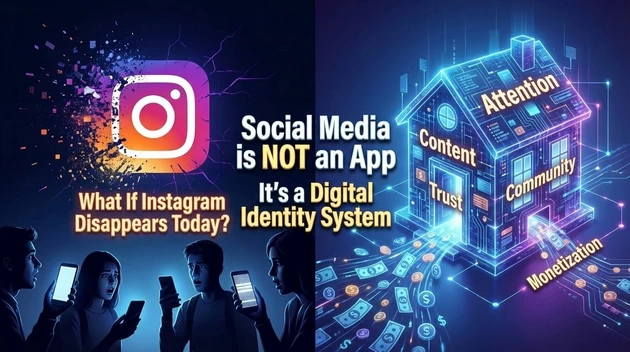
Real life analogy:
- Your house = Your Profile
- Your name board = Username
- Your behavior = Content
- Your reputation = Followers
- Your income = Monetization
Now they will connect.
What is a Personal Account?
Concept:
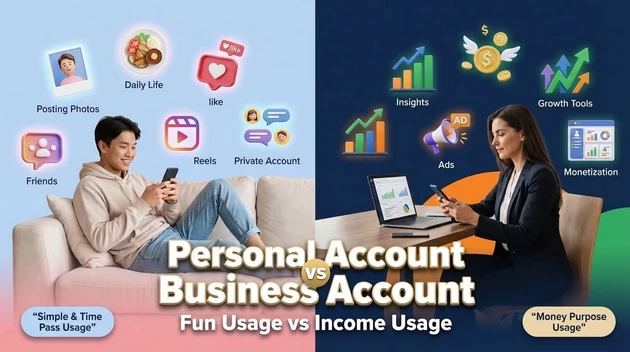
Personal account = For individual usage.
Used for:
- Posting photos
- Sharing daily life
- Connecting with friends
- Watching reels
Benefits:
- Simple to use
- No analytics complexity
- Privacy control available
- Can be private account
Limitation:
- No detailed insights
- No ads
- Limited growth tools
Tell students:
👉 Personal account = “Time pass usage”
👉 Business account = “Money purpose usage”
What is a Business Account?
Concept:
Business account = For brand, institute, shop, influencer.
Example:
Your institute page like Blooming Institute of Technology.
Benefits:
✔ Insights (Analytics)
✔ Reach data
✔ Audience age & gender
✔ Run advertisements
✔ Contact button (Call / WhatsApp)
✔ Growth tools
Explain conceptually:
Personal account = Diary
Business account = Digital Shop
Ask students:
If you want money, will you use diary or shop?
They will say shop → Business Account.
What is Meta Account?
Meta = Company that owns:

Meta Account means:
Central control system.
It connects:
Facebook Page + Instagram + Ad Manager + WhatsApp
Conceptually explain:
Meta Account = Control Room
Facebook & Instagram = Rooms inside the building
If you want to run ads → Must use Meta Business Suite.
What is Facebook Personal Account?
How to Open Personal Account (Step-by-Step
Concept:
Personal Account = Individual identity on Facebook.
Used for:
- Adding friends
- Posting status
- Joining groups
- Commenting & liking
- Creating pages
⚠ Important:
Without Personal Account → You cannot create Business Page.
Think like this:
Personal Account = Your Aadhaar ID
Business Page = Your Shop
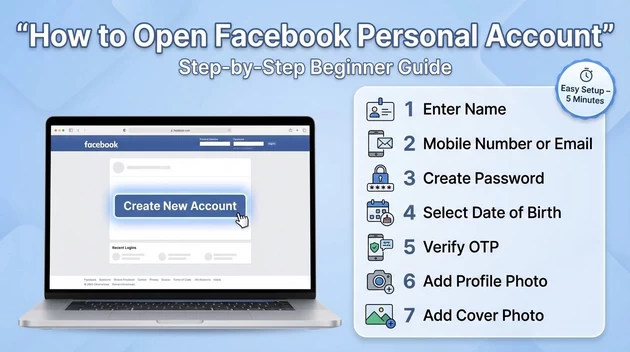
✅ Step-by-Step: How to Open Facebook Personal Account
- Go to facebook.com
- Click “Create New Account”
- Enter:
- Name
- Mobile number or email
- Password
- Date of birth
- Verify OTP
- Add profile photo
- Add cover photo
Done ✅
What is Facebook Business Page?
Concept:
Business Page = Public profile for:
- Institute
- Shop
- Brand
- Influencer
- Company
Difference:
Personal Profile → Add Friends
Business Page → Get Followers
Benefits:
✔ Insights (analytics)
✔ Run Ads
✔ Add Contact button
✔ Unlimited followers
✔ Monetization eligibility
✅ Step-by-Step: How to Create Facebook Business Page
(After personal account login)
- Click Profile icon
- Click “Pages”
- Click “Create New Page”
- Enter:
- Page Name (Example: Blooming Institute of Technology)
- Category (Education / Digital Marketing / etc.)
- Description
- Add profile picture (Logo)
- Add cover photo
- Add contact details
Click Publish ✅
3️⃣ What is Meta Account?
Meta is the company that owns:
Meta Account = Central Business Control Panel
Official name: Meta Business Manager / Meta Business Suite.
Used for:
✔ Managing multiple pages
✔ Running ads
✔ Adding team members
✔ Creating ad accounts
✔ Managing Instagram connection
Think like this:
Personal Account = Owner
Business Page = Shop
Meta Business Manager = Shopping Mall Control Room
✅ Step-by-Step: How to Create Meta Business Account
- Go to business.facebook.com
- Click “Create Account”
- Enter:
- Business Name
- Your Name
- Business Email
- Confirm email
- Add your Facebook Page
- Create Ad Account
Done ✅
4️⃣ How Many Business Pages Can Be Created Under One Personal Account?
Important Teaching Point 👇
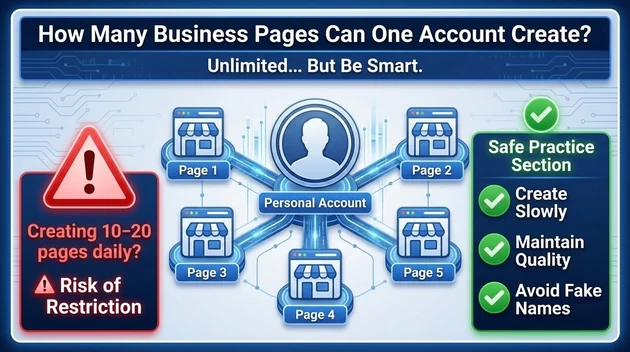
👉 One Personal Account can create Multiple Pages.
There is no fixed small limit like 2 or 3.
Normally:
- You can create many pages.
- But Facebook monitors suspicious activity.
If you create:
- 10–20 pages daily → Account may get restricted.
Safe practice:
✔ Create slowly
✔ Maintain quality
✔ Avoid fake names
5️⃣ How Many Meta Business Accounts Can One Personal Account Create?
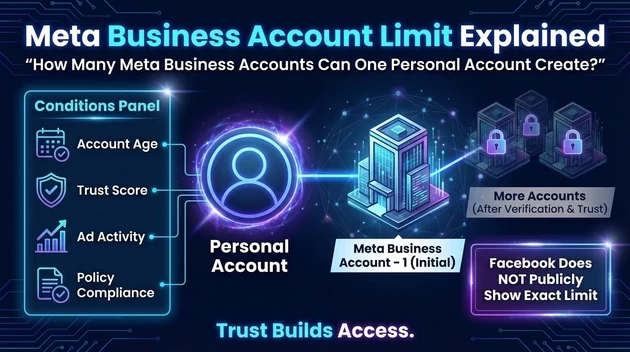
Usually:
- Initially 1 Meta Business Account.
- After verification & trust → Can create more (subject to Facebook approval).
Limit depends on:
- Account age
- Trust score
- Ad activity
- Policy compliance
Facebook does not publicly show exact number.
6️⃣ Very Important Hidden Rules
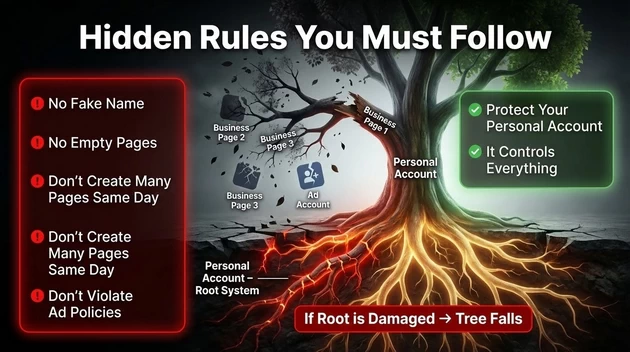
🔴 Never use fake name in personal account.
🔴 Never create business page without activity.
🔴 Don’t open many pages same day.
🔴 Don’t violate ad policies.
If personal account is disabled:
All pages linked will also be affected.
So tell students:
Personal account = Root system
If root damaged → Tree falls.