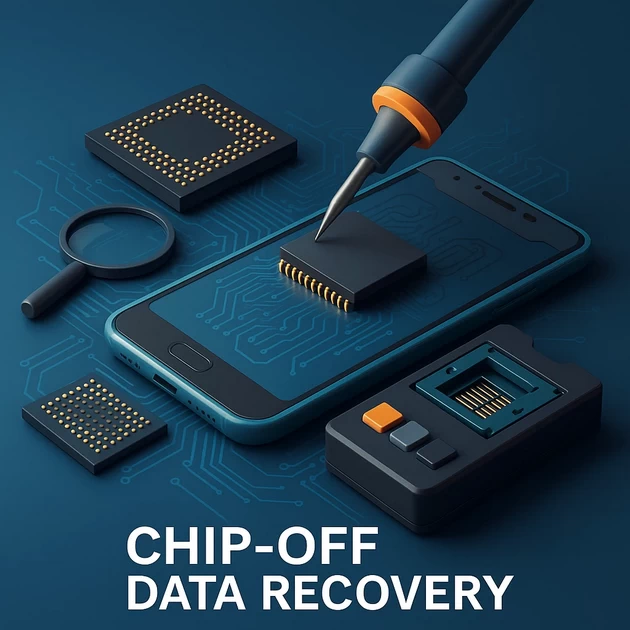
CHIP-OFF DATA RECOVERY EXPLAINED: FULL STEP-BY-STEP TECHNICAL GUIDE
-
December 9, 2025
-
by
CHIP-OFF DATA RECOVERY EXPLAINED: FULL STEP-BY-STEP TECHNICAL GUIDE
📌 Table of Contents
- Introduction to Chip-Off Data Recovery
- What Is Chip-Off? Simple & Technical Explanation
- When Chip-Off Is Required
- Understanding Mobile Memory Chips (eMMC, UFS, NAND)
- Why Traditional Methods Fail & Chip-Off Becomes the Only Solution
- Tools Required for Chip-Off Data Recovery
- Step-by-Step Chip-Off Data Recovery Process
- Encryption Challenges in Chip-Off Recovery
- Common Chip-Off Errors & How Professionals Fix Them
- Risks Involved in Chip-Off Data Recovery
- Advantages of Chip-Off Method
- Limitations of Chip-Off Recovery
- Data Recovery Success Rate: What to Expect
- Best Practices for Technicians
- Final Thoughts
- FAQ Section
📊 Flowchart — Chip-Off Data Recovery Process
                ┌─────────────────────────────┐
                │      DEAD / DAMAGED PHONE   │
                └───────────────┬─────────────┘
                                ▼
                ┌─────────────────────────────┐
                │   Diagnosis & Fault Check   │
                └───────────────┬─────────────┘
                                ▼
                ┌─────────────────────────────┐
                │ Identify Memory Chip (UFS/  │
                │ eMMC/NAND)                  │
                └───────────────┬─────────────┘
                                ▼
                ┌─────────────────────────────┐
                │      Chip Removal (Heat,    │
                │      Microscope, Flux)      │
                └───────────────┬─────────────┘
                                ▼
                ┌─────────────────────────────┐
                │   Clean & Reball the Chip   │
                └───────────────┬─────────────┘
                                ▼
                ┌─────────────────────────────┐
                │   Insert into Programmer     │
                │ (EasyJTAG/UFI/Medusa)        │
                └───────────────┬─────────────┘
                                ▼
                ┌─────────────────────────────┐
                │     RAW Dump Extraction      │
                └───────────────┬─────────────┘
                                ▼
                ┌─────────────────────────────┐
                │ Partition Reconstruction     │
                └───────────────┬─────────────┘
                                ▼
                ┌─────────────────────────────┐
                │  File System Rebuild         │
                └───────────────┬─────────────┘
                                ▼
                ┌─────────────────────────────┐
                │ Extract Photos, Videos,      │
                │ WhatsApp, Documents          │
                └─────────────────────────────┘
⭐ 1. Introduction to Chip-Off Data Recovery
Mobile phones today store everything—photos, videos, WhatsApp chats, documents, passwords, business files, and lifetime memories. But when a phone becomes dead, burned, water-damaged, short-circuited, or completely non-functional, traditional recovery methods fail. Software-based recovery tools, flashing boxes, FRP bypass, or bootloader recovery simply cannot work when the device does not even power ON.
This is where Chip-Off Data Recovery becomes the last and most powerful method to recover data directly from the memory chip.
Chip-Off is used by:
- Professional data recovery labs
- Forensic labs
- Law enforcement agencies
- Cybercrime investigation teams
- High-level technical repair centers
In this guide, you will learn everything about Chip-Off, how it works, when it is used, and the complete step-by-step process used by experts.
⭐ 2. What Is Chip-Off? (Simple + Technical Explanation)
Simple Explanation:
Chip-Off is a technique where the memory chip (eMMC/UFS/NAND) is physically removed from the phone’s motherboard, read using a special machine, and then the raw data is extracted to recover photos, videos, WhatsApp, and important files.
It means:
- Even if the phone is totally dead
- Even if the board is burned
- Even if the power IC is short
- Even if the phone cannot turn ON
Data can still be recovered because the memory chip is intact.
Technical Explanation:
Every smartphone stores data in a special storage chip like:
- eMMC (Older phones)
- UFS (New and mid-range phones)
- NAND (Used inside eMMC/UFS)
These chips contain:
- Bootloader
- OS
- System files
- Userdata (photos, videos, apps)
- WhatsApp databases
- Contacts, messages
- Application data
In Chip-Off:
- The memory chip is desoldered using hot air or infrared heater.
- The chip’s balls (solder points) are cleaned and reballed.
- The chip is placed into a professional programmer.
- A RAW binary dump is extracted.
- The dump is decoded & rebuilt to recover the file system.
- User data is extracted from reconstructed partitions.
Chip-Off is considered the last-resort method because of its complexity, risk, and technical depth.
⭐ 3. When Chip-Off Is Required?
Chip-Off recovery is only used when every other method fails. Situations include:
- Dead phone – no power
Caused by PMIC failure, CPU damage, short circuits. - Water or liquid damage
Corrosion damages the board and data lines. - Burned motherboard due to fire or overheating
External damage makes normal recovery impossible. - Severe drop damage
Board cracks → phone cannot detect memory chip. - Short circuits inside the board
Memory chip is working, but board is unusable. - No display, no charging, no boot issues
Applicable when CPU or power system is dead. - When ISP/JTAG cannot access memory
Chip-Off is the only alternative. - Phone locked, but partial board damage restricts unlocking
Chip removal allows direct memory reading.
In all these scenarios, software recovery tools are useless. Only physical chip extraction can save the data.
⭐ 4. Understanding Mobile Memory Chips: eMMC, UFS, NAND
eMMC (Embedded MultiMediaCard) — Used in older phones
- Integrated controller
- Multiple partitions
- Easier to dump and decode
- Common in phones from 2014–2020
UFS (Universal Flash Storage) — Used in modern phones
- Faster
- Stronger encryption
- Harder to recover
- Used in phones from 2019–2025
NAND
- Actual physical flash storage
- Stores all data
- Requires decoding (wear leveling, ECC, bad blocks)
Each memory technology requires different dumping, decoding, and translation techniques.
⭐ 5. Why Normal Recovery Fails & Chip-Off Is Needed
Chip-Off becomes necessary when:
- Device won’t enter recovery mode
- Device won’t boot into EDL/fastboot
- Memory chip cannot be read while mounted on board
- There’s a short between CPU and memory
- Phone bootloader is corrupted
- Power IC reduces ability to access memory
In these situations, the only working part might be the storage chip, so removal is required.
⭐ 6. Tools Required for Chip-Off Data Recovery
A professional lab uses:
🔧 Hardware Tools:
- Hot air station (Quick 861DW, JBC, Hakko)
- IR rework station
- Preheater
- Microscope
- Soldering iron + tips
- Tweezers
- Flux (Amtech, Mechanic)
- BGA reballing kit
- Solder paste / solder balls
- PCB holder
🧠 Software + Programmer Tools:
- Easy JTAG Plus
- Easy JTAG UFS
- UFI Box
- Medusa Pro
- MRT + CM2 (limited)
🔍 Extraction Tools:
- Hex editor
- File system reconstruction tools
- Partition analyzers
These tools help read the chip, dump data, decode partitions, and extract files.
⭐ 7. STEP-BY-STEP CHIP-OFF DATA RECOVERY PROCESS
🔥 Step 1: Initial Diagnosis
Before touching the phone:
- Check motherboard condition
- Identify burnt or shorted components
- Test battery voltage
- Test short-circuit on power rails
- Inspect for water damage
If the board cannot be revived → proceed to Chip-Off.
🔥 Step 2: Board Level Inspection
Technician checks:
- CPU condition
- PMIC condition
- Memory chip surroundings
- Corrosion under memory area
- Cracked tracks
- Detached tiny capacitors
Board must be thoroughly cleaned before chip removal.
🔥 Step 3: Safe Chip Removal (Desoldering)
This is the most critical part.
Procedure:
- Temperature is set between 300°C – 350°C depending on chip type.
- Hot air is applied gently around the chip.
- Flux is used to protect internal layers.
- Chip is lifted safely using a tweezer.
- Board is cleaned to remove leftover solder.
One mistake can destroy the chip permanently.
🔥 Step 4: Cleaning & Preparing the Memory Chip
After removal:
- All old solder is removed.
- Pads are cleaned with solder wick.
- Chip is inspected under microscope.
- BGA balls are rebuilt (reballing).
- Chip is placed in an adapter socket.
Proper cleaning ensures error-free reading.
🔥 Step 5: Reading the Chip Using Programmers
The chip is connected to:
- Easy JTAG
- UFI Box
- Medusa Pro
Programmer reads:
- Boot partitions
- Userdata partition
- System partition
- Metadata partition
If the chip has encryption, phone CPU is needed to decrypt data.
🔥 Step 6: Creating a RAW Dump
A RAW dump is a complete binary copy of the chip.
RAW Dump contains:
- Partition table (GPT)
- System files
- Deleted data blocks
- Userdata
This dump is saved as:
- .bin
- .img
- .raw
Dump size depends on memory chip size (16GB, 32GB, 64GB etc.).
🔥 Step 7: Extracting Partitions
Partitions include:
- boot
- recovery
- system
- vendor
- userdata
- cache
- modem
- persist
- metadata
- nvdata
Technician uses tools to mount userdata partition.
🔥 Step 8: Reconstructing File System
File systems include:
- EXT4 (Android)
- F2FS (Modern Android)
- APFS (iPhone)
Reconstruction includes:
- Repairing corrupted blocks
- Mapping sectors
- Rebuilding index
- Fixing broken journal logs
This ensures clean access to user files.
🔥 Step 9: Extracting User Data
Finally, the following data is recovered:
- Photos & Videos
- WhatsApp Chats & Media
- Contacts & Call Logs
- Messages
- Documents
- Notes
- Instagram / Facebook / Telegram data (if available)
Data is organized in folders and delivered to the customer.
⭐ 8. Encryption Challenges in Chip-Off Recovery
Modern phones use:
- Full Disk Encryption (FDE)
- File-Based Encryption (FBE)
- Hardware encryption tied to CPU
This means:
- Even if the memory chip is healthy, data cannot be decrypted without phone CPU in some cases.
iPhones (A10–A17 / Secure Enclave) are especially difficult.
⭐ 9. Common Chip-Off Errors & Fixes
Common issues include:
- Invalid dump → caused by poor soldering
- Bad sectors → requires ECC correction
- Partition table corrupt → must rebuild manually
- Controller damage → needs reballing
- Encryption → requires CPU pairing
Experts diagnose these errors manually.
⭐ 10. Risks Involved in Chip-Off Recovery
- Chip may crack under heat
- Pads may tear off motherboard
- NAND controller may fail
- Dump corruption
- Data may be unrecoverable due to encryption
This method must only be done by specialists.
⭐ 11. Advantages of Chip-Off Method
- Works even on DEAD phones
- Works even when board is burned
- No need for display or power IC
- High success rate when chip is intact
- Can recover data from water/fire damage
⭐ 12. Limitations of Chip-Off
- Time-consuming process
- Risk of permanent chip damage
- Encryption issues
- Requires expensive tools
- Not guaranteed in all cases
⭐ 13. Data Recovery Success Rate
Success depends on:
- Chip health
- Encryption status
- Heat damage
- Water damage duration
- Technician skill
Average success rate ranges from 40% – 90% depending on case complexity.
⭐ 14. Best Practices for Technicians
- Use correct heat profiles
- Avoid overheating eMMC/UFS
- Use microscope ALWAYS
- Dump analysis should be slow & careful
- Never attempt chip-off on encrypted iPhones without proper tools
⭐ 15. Final Thoughts
Chip-Off Data Recovery is a highly advanced, technical, and risky process, but it remains the most effective solution for retrieving data from:
- Dead phones
- Water-damaged phones
- Fire damaged devices
- Motherboard cracked or shorted phones
For professional labs like Oplus Data Recovery, Chip-Off is a daily operation and one of the most trusted methods.
Mobile Data Recovery services are essential when dealing with advanced cases such as Chip-Off Data Recovery. Our lab provides expert mobile data recovery solutions for dead phones, water-damaged phones, burnt devices, and corrupted memory chips. If you are searching for reliable mobile data recovery services, we offer industry‑standard tools and professional handling. Whether it’s photos, WhatsApp, documents, or videos, our mobile data recovery techniques ensure maximum possible recovery.
We specialize in mobile data recovery for eMMC, UFS, NAND, ISP, and JTAG-level extractions. For customers seeking mobile data recovery in Tamil Nadu, we provide advanced diagnostics and extraction solutions. Professional mobile data recovery is crucial in cases where traditional repair methods fail and only expert-level chip-based extraction is possible.
Our mobile data recovery experts follow strict protocols for forensic-level data handling. People who require mobile data recovery due to accidental damage, software corruption, or hardware failure can trust our laboratory for high success rates. We also offer mobile data recovery Trichy support for customers in that region, ensuring fast and secure recovery.
With over a decade of experience, our mobile data recovery lab has handled thousands of dead phones and recovered priceless memories. If your phone is dead, shorted, or physically damaged, our mobile data recovery method through Chip-Off ensures the best recovery success rate.
⭐ 16. FAQ — Chip-Off Data Recovery
1. Is Chip-Off Data Recovery safe?
Yes, if done by experts with proper tools. DIY attempts can destroy the chip permanently.
2. Can Chip-Off recover data from dead phones?
Yes. As long as the memory chip is not damaged, data can be recovered.
3. How long does Chip-Off recovery take?
Between 1 to 5 days depending on complexity and chip condition.
4. Can encrypted phones be recovered using Chip-Off?
Partially yes. If encryption keys are tied to CPU, full recovery may not be possible.
5. Is Chip-Off required for all data recovery cases?
No. It is used only when other methods fail.
6. Does Chip-Off damage the phone?
Yes. The phone becomes unusable after chip removal. But the goal is data recovery, not repair.
7. Can iPhone chip-off be done?
Yes, but encryption makes recovery extremely difficult without CPU pairing.
-
byBIT
-
December 9, 2025
You May Also Like
-
Jan 30, 2026
mobile phone storage upgrade tips In 2026, our smartphones are more capable than ever, but higher-resolution photos and heavier...

-
Jan 27, 2026
In a twist for a technology many of us assumed would only ever get cheaper, solid-state drives (SSDs) and other...
-
Dec 12, 2025
If power (voltage/current) is passing in the motherboard I/O port shield (USB/HDMI/LAN metal frames), this is a dangerous fault and...
-
Dec 11, 2025
Here is a complete, technician-level troubleshooting guide for ASUS H310M-E motherboard restarting while working (random restart, no blue screen). ✅...
Sign up to receive our latest updates
[mc4wp_form id=3101]
Get in touch
Address
152A, Annavalaivu, Thuvakudimalai, Tiruchirappalli, Tamil Nadu – 620 022
Landmark : Near Post Office
Landmark : Near Post Office
bloomingtutorial@gmail.com
