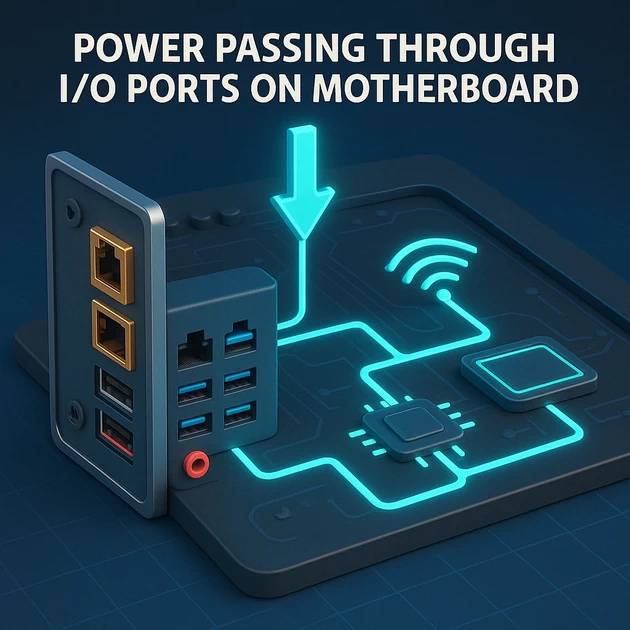
power is passing in the motherboard IO Ports shield
-
December 12, 2025
-
by
If power (voltage/current) is passing in the motherboard I/O port shield (USB/HDMI/LAN metal frames), this is a dangerous fault and must be diagnosed immediately.
Below is the complete technician-level cause + testing method + fix.
⚠ WHAT IT MEANS
The I/O shield/frame should always be at GND (0V).
If you detect voltage on the metal shield (USB/LAN/HDMI), it means:
🔥 Ground is floating or leaking voltage
🔥 A power rail is shorting/leaking to the shield
🔥 A faulty MOSFET/IC is injecting voltage into the ground plane
This can shock the user, damage USB devices, or kill the motherboard.
🟥 MAIN CAUSES (Ranked Most Common)
1. SMPS / PSU Neutral–Earth leak
- Poor quality or faulty power supply
- No proper earthing in the wall socket
- Causes 50–90V AC leakage to motherboard metal parts
→ MOST COMMON reason for “current in I/O shield”.
2. USB Port Ground Short
Look for:
- Damaged USB port
- Bent pins touching metal case
- Missing insulation
- Broken port solder pads
This sends 5V → shield.
3. LAN chip (Realtek) short
If LAN IC is shorted:
- I/O shield becomes warm
- Multimeter shows voltage on LAN metal frame
- Network port stops working
4. HDMI/DisplayPort ESD Diode short
ESD protection ICs near HDMI/USB protect from shock.
If damaged, they leak voltage to chassis ground.
5. Motherboard GND Line Cracked / Burnt Track
If the ground path to PSU is weak:
- The entire rear I/O becomes “live”
- Static charge builds on shield
- PC behaves unstable or restarts
🔍 HOW TO TEST (Technician Method)
✔ TEST 1 — Multimeter AC voltage test
Multimeter → AC Voltage
Red probe → USB shield
Black probe → Real Earth (wall pin or water pipe)
| Reading | Meaning |
|---|---|
| 0–2V AC | Normal |
| 2–40V AC | Earthing weak / PSU leakage |
| 40–90V AC | Severe neutral-earth leak (replace PSU) |
✔ TEST 2 — Multimeter DC test
Multimeter → DC Voltage
Red probe → USB metal shield
Black probe → PSU ground
| Reading | Meaning |
|---|---|
| 0V | Normal |
| 0.1–5V | USB port short / ESD diode leak |
| 5V | USB 5V line touching shield (damaged USB port) |
| 12V | MOSFET or board track short (very dangerous) |
✔ TEST 3 — Physical Inspection
Check:
- USB port inside pins touching frame
- Burn mark near USB/LAN
- Broken ESD protection IC
- Cracked ground pads
- Rust or moisture inside USB
🛠 SOLUTIONS (BASED ON FAULT TYPE)
🔧 1. If PSU Neutral–Earth Leak
- Check wall socket earthing
- Try a different PSU
- Use branded SMPS
If AC leak disappears → PSU was faulty.
🔧 2. If USB Port 5V Touching Shield
- Replace damaged USB port
- Reflow USB port joints
- Add insulation if metal frame bent
- Remove shorted USB ESD diode (temporarily)
🔧 3. If LAN/HDMI ESD Diode Short
- Identify the shorted diode using diode mode
- Replace the ESD protection IC
- Check surrounding capacitors
🔧 4. If Ground Track Broken
- Re-solder damaged track
- Bridge ground trace using wire
- Clean rust/corrosion
🟥 IF YOU SEE SPARK WHEN TOUCHING USB PORT → STOP USING PC IMMEDIATELY
This means live leakage from PSU or motherboard and can shock the user.
-
byBIT
-
December 12, 2025
You May Also Like

-
Mar 9, 2026
THE COMPLETE STORY: Building Your First Website Welcome, Future Web Developers! Teacher: “Imagine you’re about to build something amazing – your...

-
Mar 6, 2026
🏛️ PART 1: WHY A WEBSITE MATTERS IN 2026 – The “Digital Storefront” Your Shop on Commercial Street “Imagine you...


-
Feb 18, 2026
👉 Social Media is not an app.👉 It is a Digital Identity System. Social Media =Attention + Content + Trust...
Sign up to receive our latest updates
Get in touch
Address
152A, Annavalaivu, Thuvakudimalai, Tiruchirappalli, Tamil Nadu – 620 022
Landmark : Near Post Office
Landmark : Near Post Office
bloomingtutorial@gmail.com
