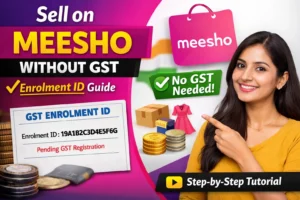





How to Open a Meesho Seller Account Using Enrolment ID (Without GST)

  • January 31, 2026
How to open a Meesho seller account without GST using Enrolment ID – step by step guide for beginners

How to Open a Meesho Seller Account Using Enrolment ID (Without GST)

Starting an online business can feel confusing, especially when everyone keeps saying “GST is compulsory”. The truth is you don’t need GST immediately to start selling on Meesho.

If you are a home seller, small business owner, or beginner, Meesho gives you a legal option to start selling using an Enrolment ID. This guide explains everything clearly, step by step, in simple English  no technical headache, no fear.

Meesho is designed mainly for small and first-time sellers. Unlike Amazon or Flipkart, Meesho understands that many people want to:

  • Start small

  • Test products

  • Earn side income

  • Sell from home

Why Meesho Allows Selling Without GST (Reality Explained)

That’s why Meesho allows sellers to begin without GST, using an Enrolment ID  but with some conditions.

This is not a shortcut or illegal method. It is 100% allowed under Indian rules for small sellers.

What Exactly Is an Enrolment ID?

An Enrolment ID is a temporary number generated when you apply for GST registration on the GST portal.

It means:

  • You have started the GST application

  • Your details are under verification

  • GST number is not yet issued

👉 This Enrolment ID works as temporary proof for platforms like Meesho.

Think of it like:

“Application submitted, approval pending”

Who Should Use Enrolment ID on Meesho?

Using an Enrolment ID is best if you are:

  • A housewife starting online selling

  • A student or freelancer

  • A small shop owner

  • A handmade product seller

  • Someone testing product demand

  • A beginner who doesn’t want GST tension initially

If your plan is big brand selling or electronics, then GST is better from day one.

What Products Can You Sell Without GST on Meesho?

Meesho allows non-GST mandatory categories under Enrolment ID.

You can safely sell:

⚠️ Important:
Electronics, branded goods, and high-tax items require GST.
Selecting the wrong category can cause account rejection or suspension.

Step-by-Step: How to Open Meesho Seller Account Using Enrolment ID

Now let’s come to the actual process, explained in a very simple way.

Step 1: Apply for GST (Optional but Smart)

Even if you don’t plan to use GST now, applying helps you get an Enrolment ID.

  • Visit GST portal

  • Apply for new registration

  • Fill basic details

  • Submit application

You will receive the Enrolment ID instantly.
Save it safely.

For complete details, please refer to the following link

Selling Without GST? Here’s How to Get an Enrolment ID or UIN Legally

User Services

Generate User ID for Unregistered Applicant

Warning Pop up

Yes

To Apply as a Supplier to E-Commerce Operators

Proceed

Fill Basic Details

PAN number
Email ID
Mobile number
Address details

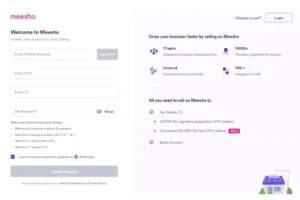
Step 2: Go to Meesho Seller Registration Page

Open the Meesho Seller portal and click “Start Selling”.

Enter:

  • Mobile number

  • OTP verification

This mobile number becomes your seller login ID.

Meesho Seller Login Page

Step 3: Enter Your Business Details

Fill details carefully:

  • Business name (can be your name)

  • Pickup address

  • Email ID

👉 Tip:
Pickup address should match your bank address to avoid verification issues.

Enter Your Business Details

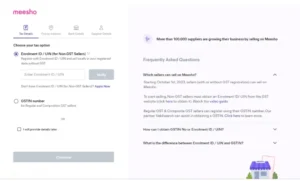
Step 4: Select “I Don’t Have GST”

This is the most important step.

Choose:

I don’t have GST – I have an Enrolment ID

Now enter:

  • Enrolment ID

  • PAN card details

Make sure PAN name matches bank name.

I have an Enrolment ID

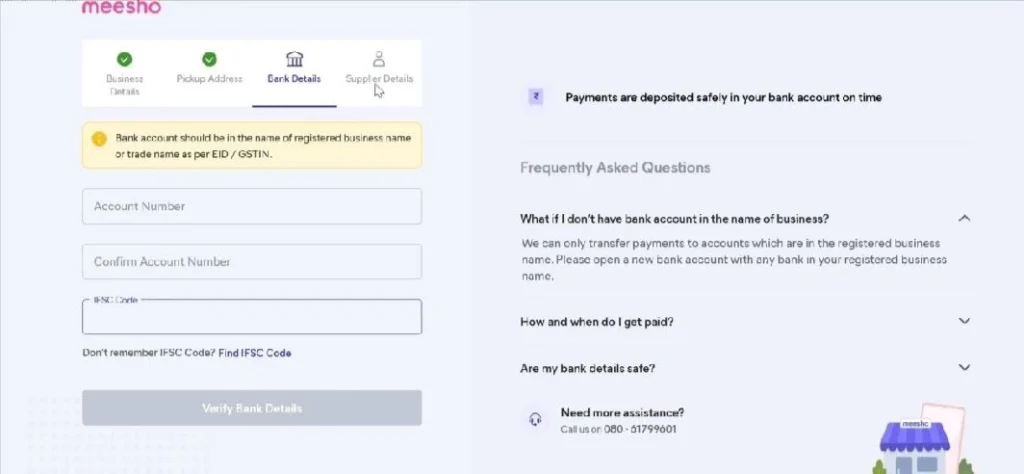
Step 5: Add Bank Account Details

This is where Meesho sends your payments.

You need:

  • Account holder name

  • Bank name

  • IFSC code

  • Account number

⚠️ Wrong bank details = payment delay.

Step 7: Submit & Wait for Approval

After submission:

  • Meesho verifies details

  • Approval usually takes 24–72 hours

Once approved, you can:

  • Add products

  • Set prices

  • Start receiving orders

How Long Can You Sell Without GST on Meesho?

Selling with an Enrolment ID is temporary, not lifetime.

You must apply for GST when:

  • Your sales increase

  • Meesho asks for GST update

  • Turnover crosses GST limit

👉 Smart sellers use this time to:

  • Learn the platform

  • Understand pricing

  • Identify best-selling products

Benefits of Starting Without GST on Meesho

Starting without GST gives you:

  • Less pressure

  • Zero compliance stress

  • Easy onboarding

  • Faster start

  • Perfect learning phase

This is why Meesho is popular among first-time sellers.

Starting without GST gives you:

  • Less pressure

  • Zero compliance stress

  • Easy onboarding

  • Faster start

  • Perfect learning phase

This is why Meesho is popular among first-time sellers.

Important Things to Remember (Very Important)

Enrolment ID Validity
Enrolment ID is temporary – it is not a permanent replacement for GST. 25%
GST Requirement in Future
As your sales grow, GST registration will become mandatory. 45%
Correct Product Category Selection
Choosing the wrong category can lead to rejection or suspension. 65%
Genuine Documents Upload
PAN, bank, and address details must be real and clearly visible. 85%
Account Safety & Approval
One small mistake can delay approval or permanently block your seller account. 100%
I started selling on Meesho without GST using Enrolment ID. The process was simple, and my account got approved in two days.

John Doe
New Home Seller
Perfect platform for beginners. I learned pricing and order handling before applying for GST
John Doe
Small Business Owner
As long as documents are genuine, Meesho approval is smooth. Very beginner-friendly.
John Doe
First-Time Online Seller
Your information is safe with us. We use your details only to respond to your query and provide proper guidance.

❓ Frequently Asked Questions

Can I open a Meesho seller account without GST?

Yes. Meesho allows new and small sellers to start selling without a GST number by using an Enrolment ID. This option is mainly for beginners, home sellers, and those testing online selling for the first time. However, this is a temporary arrangement, not a permanent exemption.

An Enrolment ID is a temporary number issued by the GST portal when you apply for GST registration. You receive it immediately after submitting your GST application online. Meesho accepts this ID as proof that your GST process is in progress.

Yes, it is completely legal. Selling without GST using an Enrolment ID follows Indian government rules for small sellers. As long as you sell non-GST mandatory products and provide genuine details, there is no legal issue.

How long can I sell on Meesho using an Enrolment ID?

You can sell only for a limited period using an Enrolment ID. Once your sales increase, your GST gets approved, or Meesho requests it, you must update your GST number. Continuing without GST after that can lead to account restrictions.

  • by
    Nila7
  • January 31, 2026

Leave A Reply

Your email address will not be published. Required fields are marked *

You May Also Like

  • Jan 27, 2026
Not all businesses in India are required to register for GST.But many small sellers and service providers get confused when...
  • Sep 25, 2025
GST Old vs New Rate Finder Merged Dataset Search products, enter taxable value and compare old vs new GST amounts....
  • Sep 25, 2025
GST Rate Comparison Calculator Enter Taxable Value (₹): Old GST Rate (%): 5%12%18%28% New GST Rate (%): 5%12%18%28% Compare Rates
The Goods and Services Tax (GST) Council has announced several important updates. These changes affect daily-use products, apparel, footwear, food...