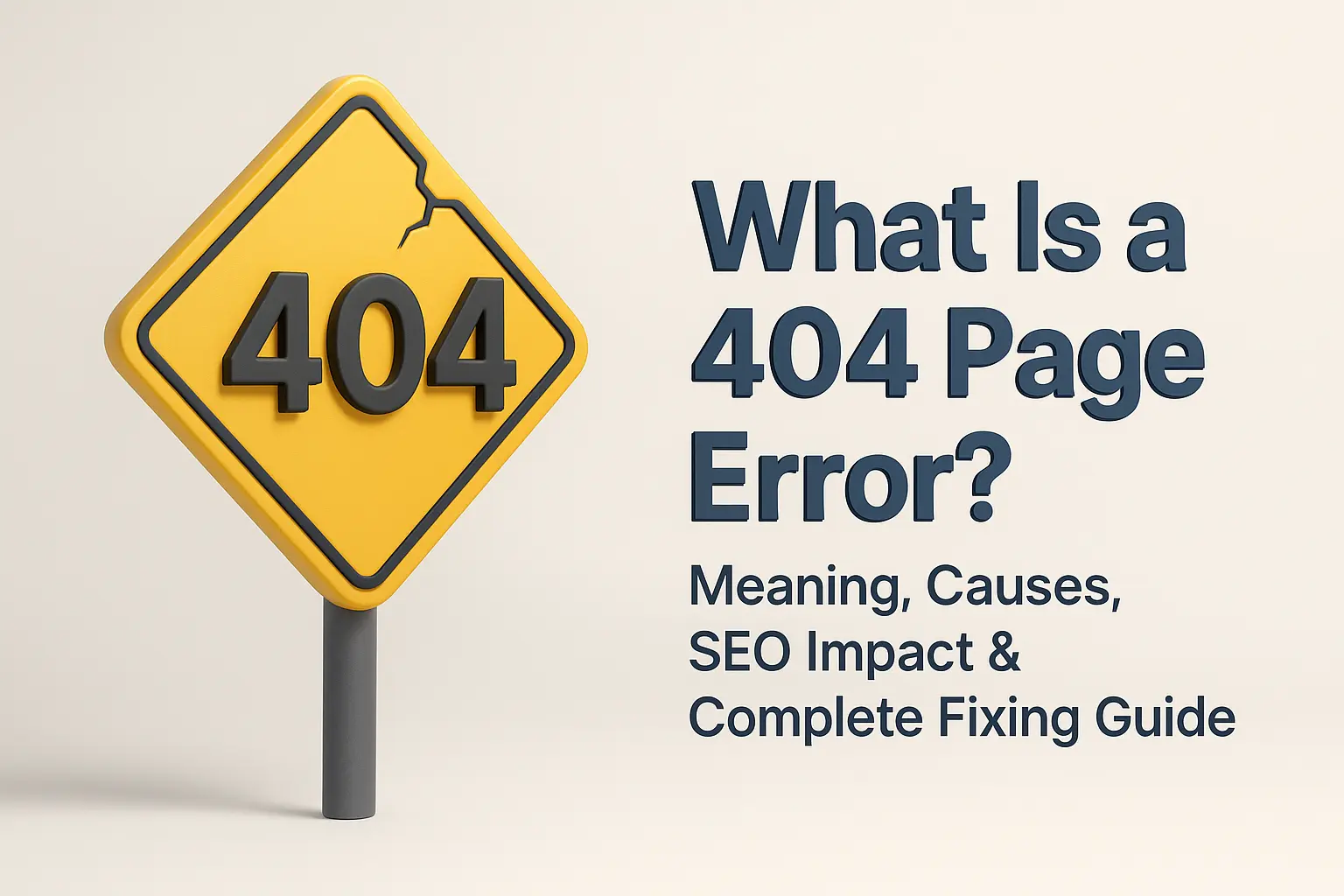
What Is a 404 Page Error? Meaning, Causes, SEO Impact & Complete Fixing Guide
-
November 28, 2025
-
by
Introduction — Why 404 Pages Matter More Than Website Owners Realize
The 404 page error is one of the most common messages on the internet. But most people misunderstand it. They think it’s simply “a broken page” — but in reality, a 404 page affects:
How Google crawls your website
How users behave when they visit your site
Your brand image
Your SEO performance
Think of a website like a big shopping mall. Each webpage is like a shop in the mall. If a visitor walks into the mall and finds that the shop number on the board does not exist anymore, they become confused.
This confusion is exactly what a 404 error creates online.
A properly managed 404 helps users recover smoothly.
A poorly managed 404 makes users leave your site forever.
That’s why understanding 404 errors conceptually is extremely important
What Is a 404 Page Error?
A 404 page error is an HTTP status code that means:
“The webpage you are looking for cannot be found, but the website’s server is working.”
Here is the simplest breakdown:
Server is alive = Yes
Requested page exists = No
Result = 404 (Page Not Found)
404 Error – Technical Definition
On the technical level, a 404 error means:
Your browser sends a request to the server.
The server checks its files.
The server cannot find the requested URL.
So it returns HTTP Status Code 404.
This is different from server errors like 500 or 502 because those signify the server is failing.
Here, the server is fine — only the page is missing.
404 Error – Conceptual Understanding
The 404 error is simply the server saying:
“I am here, but the thing you are searching for is not.”
It is like calling someone on the phone and hearing:
“This number does not exist.”
The telephone system is working, but the number (page) is missing.
Analogy: Searching for a Shelf That No Longer Exists
Imagine walking into a library with a piece of paper that mentions:
Shelf B1 – History Books
But when you get there, you realize the library has changed the arrangement or removed that shelf completely.
Your confusion in that moment?
Exactly the same as a 404 error.
Why Do 404 Errors Occur?
404s can happen for many reasons. Some are natural. Some are mistakes. Some are SEO disasters.
1. Page Was Deleted
If you delete a page without redirecting it, every old link pointing to it will generate a 404.
2. URL Was Changed
Changing your URL structure (slugs) without a redirect leads to a 404 page.
Example:/tally-course → changed to /tally-prime-course
3. Wrong External Links
If someone else links to your website with a mistake in the URL, your users will see a 404.
4. User Typed a Wrong URL
Simple spelling mistakes can trigger a 404 page.
5. Website Migration Issues
During platform shift (WordPress → Shopify, Blogger → WordPress):
URLs change
Folder structure changes
Permalinks break
Result = 404.
6. Expired or Discontinued Product Pages
E-commerce websites experience thousands of 404s when:
Products go out of stock
Seasonal products expire
Categories change
7. Broken Internal Links
If you accidentally link to a non-existing page from inside your article → 404.
This is the most common blog mistake.
8. Case Sensitivity Issues (Linux Servers)
/About-Us ≠ /about-us
Linux servers treat uppercase and lowercase URLs as different.
9. Server Configuration Problems
Sometimes, the hosting server may be misconfigured and fail to route requests correctly.
Types of 404 Errors You Must Understand
Not all 404s are the same. Google treats them differently.
1. Hard 404
The server confirms the page is completely missing.
This is a standard 404.
2. Soft 404
Google thinks your page is empty or thin content — even if it loads.
Example:
Product page with “No details available” = Soft 404.
Soft 404s are dangerous for SEO.
3. 404 vs 410 – What’s the Difference?
404 = Page not found (maybe temporary).
410 = Page gone forever (permanent removal).
Use 410 only when you are sure the content will never return.
Does a 404 Page Error Affect SEO? (Detailed Explanation)
The answer is Yes and No.
Google officially says:
404s are normal. Every big website has them.
But…
Too many 404s create SEO damage indirectly.
1. Impact on Crawl Budget
If Googlebot keeps finding dead pages, it wastes crawl budget — meaning fewer important pages get crawled.
2. Impact on User Experience
Users get frustrated → leave your site → bounce rate increases.
Negative signal for Google.
3. Loss of Backlink Value
If an external site links to a missing page, you lose the SEO benefit.
4. Soft 404s Harm Rankings
Google thinks your page is low quality.
5. 404 After Website Migration
If not handled properly, migrations can destroy organic traffic.
How to Find 404 Pages on Your Website (Beginners to Advanced)
Finding 404s is the first step to fixing them.
1. Google Search Console (Coverage Report)
Shows a list of pages Google cannot access.
2. Screaming Frog (Best for Deep Audit)
Useful for scanning all internal links.
3. SEMrush Site Audit
Shows broken internal and external links + recommendations.
4. Ahrefs Site Audit
Provides comprehensive error reporting.
5. Manual Testing
Type URLs manually or click internal links.
How to Fix 404 Errors (Simple to Advanced Solutions)
Now the most important part:
Fixing the issue to restore SEO value.
1. Fix Broken Internal Links
Correct all wrong internal links in your posts/pages.
2. Use 301 Redirects (Most Important)
If a page was deleted or moved, redirect the old URL to:
A relevant page
Or the homepage
Real-Life Analogy:
It’s like putting a forwarding address at the post office after you shift houses.
3. Restore Deleted Pages
If they were high-traffic pages — recreate them.
4. Correct URL Slug Spelling
Small typos cause big 404 problems.
5. Update XML Sitemap
Remove missing URLs.
6. Fix Canonical Tags
Wrong canonical tags mislead Google.
7. Structure your Permalinks
Avoid complex URLs.
8. Improve Server Configuration
Ask your hosting provider to check:
Nginx rules
htaccess
PHP routing
How to Create a Perfect Custom 404 Page (UX Friendly)
A good 404 page turns a lost visitor into a fan.
1. Add a Clear Friendly Message
Examples:
“Oops! This page has moved.”
“We couldn’t find what you were looking for.”
2. Add a Search Bar
Helps users find content quickly.
3. Add Popular Links
Home | Courses | Blog | Categories | Contact
4. Add a CTA
Example:
“Explore our latest articles”
“Browse our courses”
5. Add a Visual Element or Illustration
Humor works:
Brands like GitHub, Netflix, Amazon use character-based designs.
Analogy: A Helpful Shopkeeper
Imagine you walk into a shop and ask for a missing product.
The shopkeeper smiles and says:
“Sorry, we don’t have this, but let me show you something better.”
That is exactly what a perfect 404 page should do.
Examples of Great 404 Pages From Popular Brands
H3: Google – Clean and Minimal
A simple robot illustration.
GitHub – Octocat Theme
Funny, memorable, on-brand.
Amazon – User-first Approach
Shows product suggestions.
Netflix – Simple and Smart
Keeps navigation clear.
Should You Redirect All 404 Pages? (Very Important)
No.
Not all 404 pages need redirection.
Redirect only when:
You have a relevant page
The page had traffic
The URL has backlinks
Do NOT redirect:
Old discontinued content
Irrelevant pages
Spam URLs
Keeping some 404s is perfectly natural.
404 Errors in E-Commerce Websites
E-commerce sites face the most 404 issues because:
Products get discontinued
Categories change
Seasonal items expire
Best practice:
Redirect discontinued products to category pages, not homepages.
Advanced Topic — Server-Level Handling of 404 Errors
htaccess Rules (Apache)
Set custom 404 page.
Nginx Configuration
Define custom error pages at server block level.
Soft 404 Troubleshooting
Add more content or return proper status code.
Why does my website show 404 pages?
Usually due to deleted or renamed URLs.
Is a 404 error harmful?
One or two — no.
Too many — yes.
Should I delete 404 URLs from my sitemap?
Absolutely yes.
How do I fix multiple 404 pages quickly?
Use 301 redirects and fix internal links.
-
byBIT
-
November 28, 2025
You May Also Like
-
Nov 28, 2025
Introduction — Why A/B Testing Is the Secret Formula Behind Every Successful Business Every top digital company uses A/B Testing...

-
Oct 6, 2025
Many people want to know how to connect Instagram to Facebook Page without password, but they don’t know how to...

-
Sep 29, 2025
How to Add AdSense Inside Posts (Elementor) ✅ Option 1: Manually Insert Ads Copy your AdSense ad unit code (e.g.,...
-
Sep 15, 2025
Are you confused about Razorpay Key ID vs Merchant ID? You are not alone. Many beginners face the same doubt...
Sign up to receive our latest updates
[mc4wp_form id=3101]
Get in touch
Address
152A, Annavalaivu, Thuvakudimalai, Tiruchirappalli, Tamil Nadu – 620 022
Landmark : Near Post Office
Landmark : Near Post Office
bloomingtutorial@gmail.com
