🏛️ PART 1: WHY A WEBSITE MATTERS IN 2026 – The “Digital Storefront”
Your Shop on Commercial Street
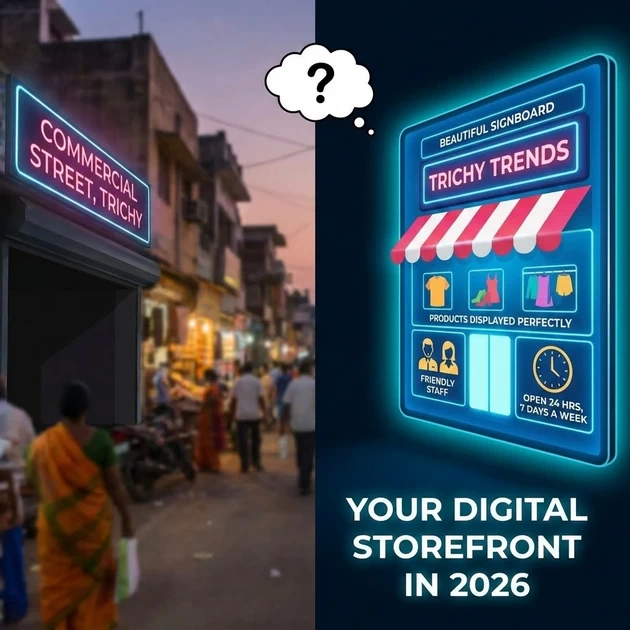
“Imagine you own a shop on Commercial Street in Trichy. You have:
A beautiful signboard
Products displayed perfectly
Friendly staff
Open 24 hours a day, 7 days a week
Now imagine if NO ONE could see your shop because it was invisible. That’s what it’s like to run a business without a website in 2026.”
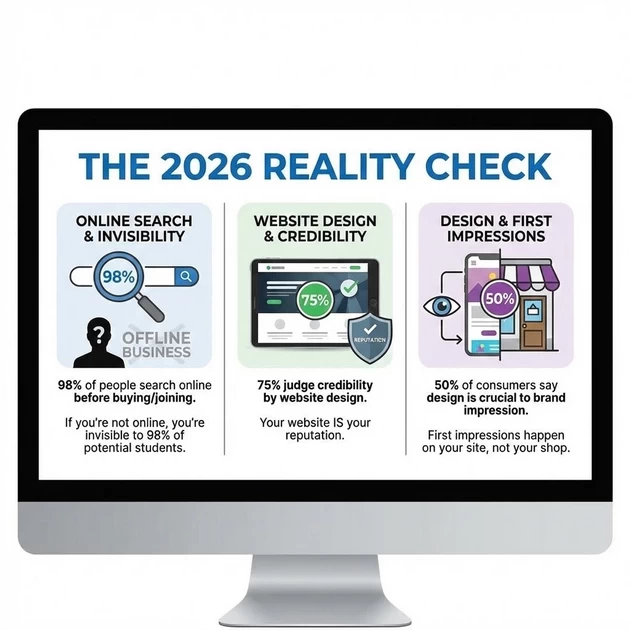
The 2026 Reality Check:
| Statistic | What It Means |
|---|---|
| 98% of people search online before buying/joining | If you’re not online, you’re invisible to 98% of potential students |
| 75% judge credibility by website design | Your website IS your reputation |
| 50% of consumers say design is crucial to brand impression | First impressions happen on your site, not your shop |
The “Digital-First” World
“In 2026, when someone hears about Blooming Institute, what’s the FIRST thing they do? They Google it. If they find nothing, they assume you don’t exist or aren’t serious.”
Live Demo: Open Google and search “digital marketing training trichy”. Show students:
Which results appear
What the websites look like
How quickly they form opinions about each institute
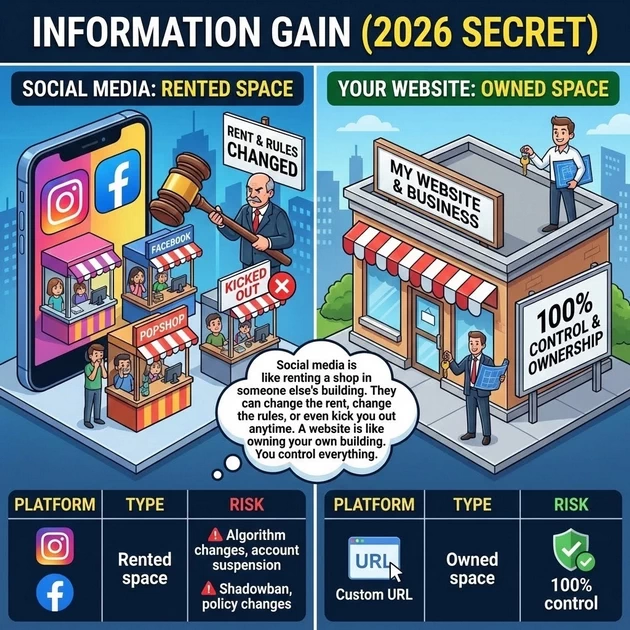
Information Gain (2026 Secret):
“Social media is like renting a shop in someone else’s building. They can change the rent, change the rules, or even kick you out anytime. A website is like owning your own building. You control everything.”
| Platform | Type | Risk |
|---|---|---|
| Rented space | Algorithm changes, account suspension | |
| Rented space | Shadowban, policy changes | |
| Your Website | Owned space | 100% control |
🏠 PART 2: DOMAIN NAMES – Your “Digital Address”
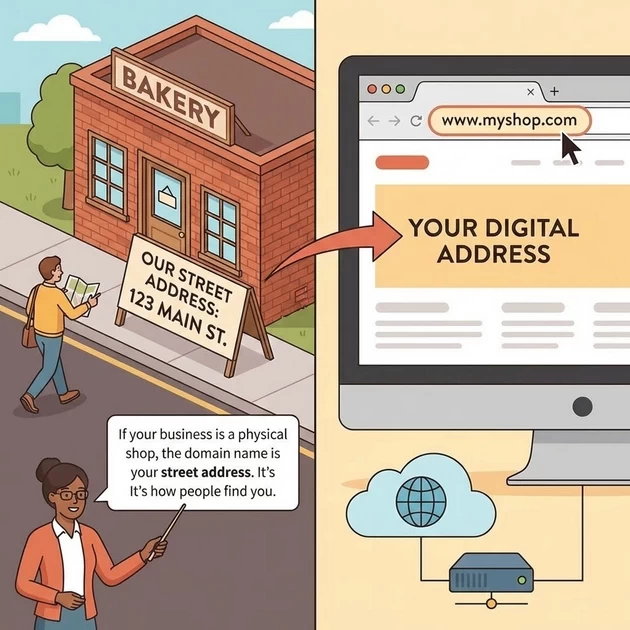
Your Street Address
Teacher: “If your business is a physical shop, the domain name is your street address. It’s how people find you.”
Your Domain: www.bloomings.in
Live Demo: Type www.bloomings.in in the browser and show students your website.
What Makes a Good Domain:
| Quality | Example | Why |
|---|---|---|
| Short | bloomings.in (12 chars) | Easy to type, remember |
| Relevant | Includes “bloomings” | Brand recognition |
| Right extension | .in (India) | Local credibility |
| No hyphens/numbers | Avoids confusion | Easy to say over phone |
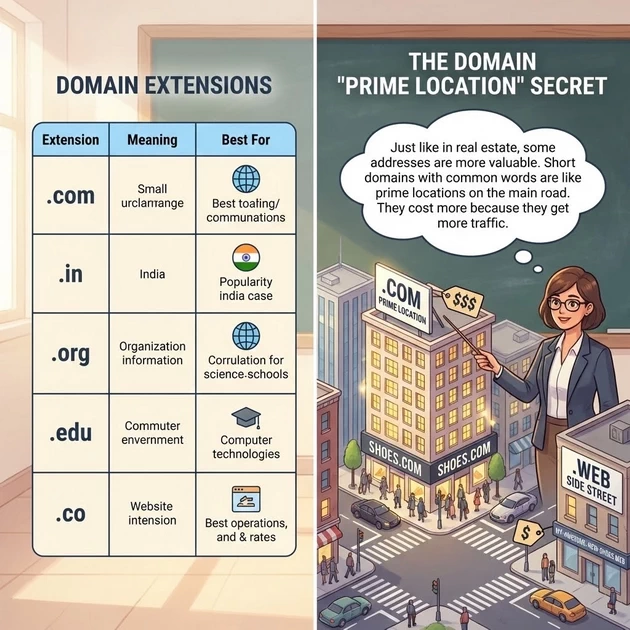
Domain Extensions Explained:
| Extension | Meaning | Best For |
|---|---|---|
| .com | Commercial (global) | International businesses |
| .in | India | Local Indian businesses |
| .org | Organization | Non-profits |
| .edu | Education | Schools, colleges |
| .co | Company | Startups |
The Domain “Prime Location” Secret:
Teacher: “Just like in real estate, some addresses are more valuable. Short domains with common words are like prime locations on the main road. They cost more because they get more traffic.”
How to Get a Domain:
┌─────────────────────────────────────────────────────┐
│  BUYING A DOMAIN                                      │
├─────────────────────────────────────────────────────┤
│                                                       │
│  Step 1: Check availability                          │
│     Go to: namecheap.com, godaddy.com, or hostinger.in│
│         ↓                                             │
│  Step 2: Search for your desired name                │
│         ↓                                             │
│  Step 3: If available, add to cart                   │
│         ↓                                             │
│  Step 4: Pay yearly fee (₹500-1500 typically)        │
│         ↓                                             │
│  Step 5: You now OWN that address!                   │
│                                                       │
└─────────────────────────────────────────────────────┘
“Domain names are leased, not owned forever. You must renew yearly. If you forget, someone else can buy it. This has happened to big companies who lost their domains!”
🏢 PART 3: WEB HOSTING – Your “Digital Land & Building”
The Physical Building
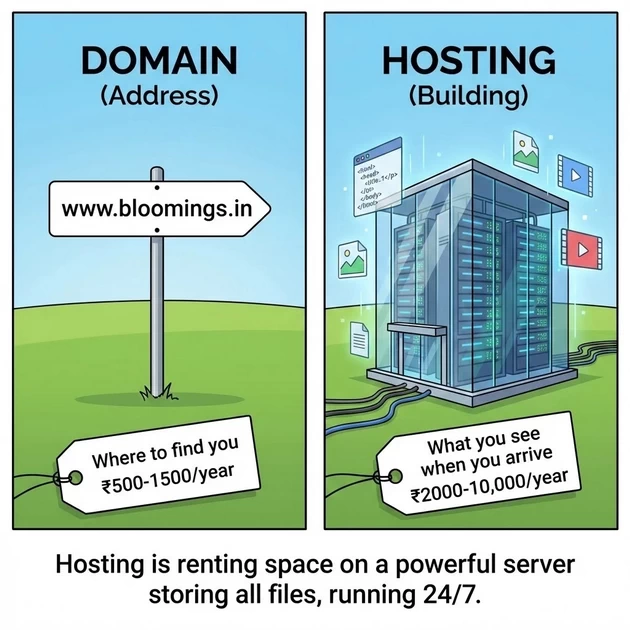
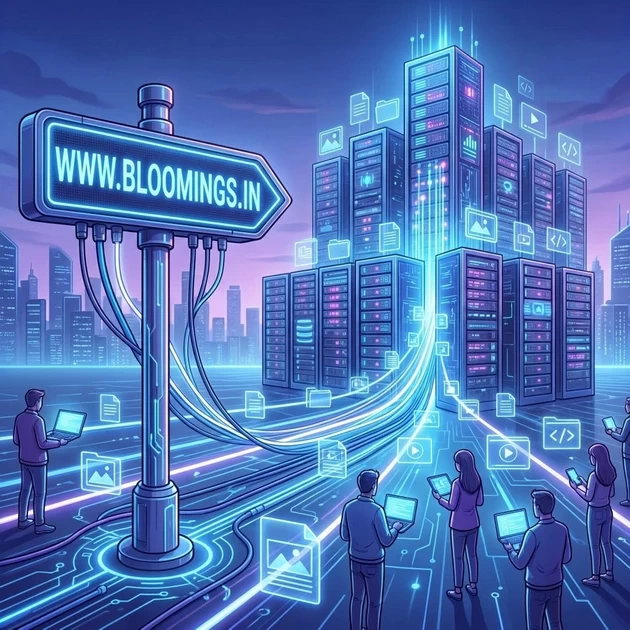
Teacher: “Your domain is the address. Web hosting is the actual building at that address – the land, the structure, the rooms where everything is stored.”
| Domain (Address) | Hosting (Building) |
|---|---|
| www.bloomings.in | The servers storing all files |
| Where to find you | What you see when you arrive |
| ₹500-1500/year | ₹2000-10,000/year |
What Hosting Actually Is:
“Hosting is simply renting space on a powerful computer (called a server) that runs 24/7. This computer stores all your website files – HTML, CSS, images, videos – and sends them to anyone who visits your domain.”
Types of Hosting (2026):
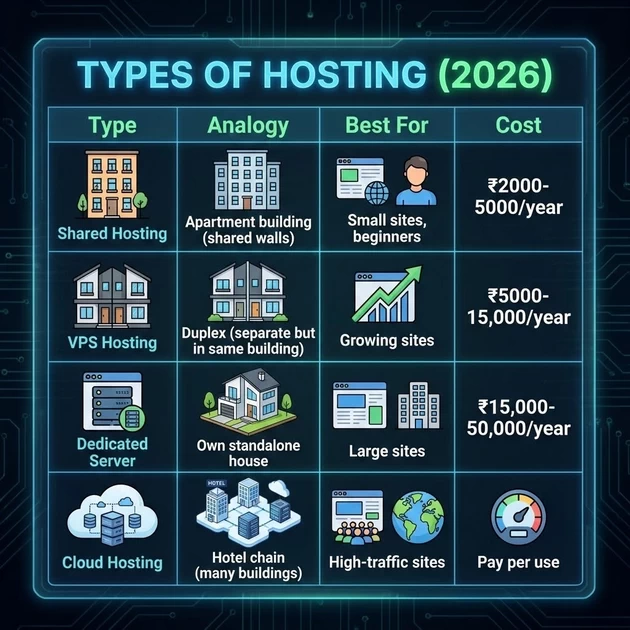
| Type | Analogy | Best For | Cost |
|---|---|---|---|
| Shared Hosting | Apartment building (shared walls) | Small sites, beginners | ₹2000-5000/year |
| VPS Hosting | Duplex (separate but in same building) | Growing sites | ₹5000-15,000/year |
| Dedicated Server | Own standalone house | Large sites | ₹15,000-50,000/year |
| Cloud Hosting | Hotel chain (many buildings) | High-traffic sites | Pay per use |
The “Always On” Requirement:
“Your shop must be open 24/7. If your hosting goes down, your website disappears. Good hosting guarantees 99.9% uptime – meaning it’s almost always open.”
Live Demo:
Show students what happens when you type www.bloomings.in:
Browser asks domain system: “Where is this address?”
Domain system points to hosting server
Hosting server sends all files
Browser displays your website
This all happens in under 2 seconds!
🎨 PART 4: HTML & CSS – The “Blueprint & Paint”
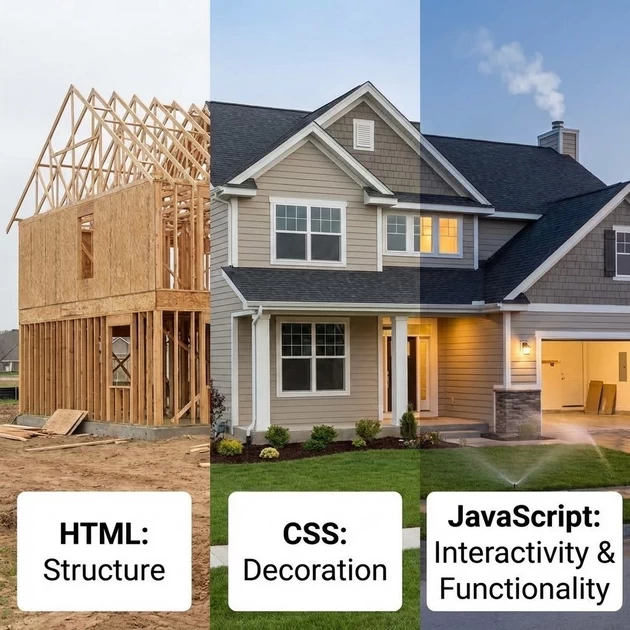
The Grounding Analogy: Building Construction
Teacher: “If your website is a house, then:”
| Web Technology | House Analogy |
|---|---|
| HTML | The structure – walls, roof, rooms, foundation |
| CSS | The decoration – paint, wallpaper, furniture, colors |
| JavaScript | The electricity & plumbing – interactivity, moving parts |
4.1 HTML – HyperText Markup Language (The Structure)
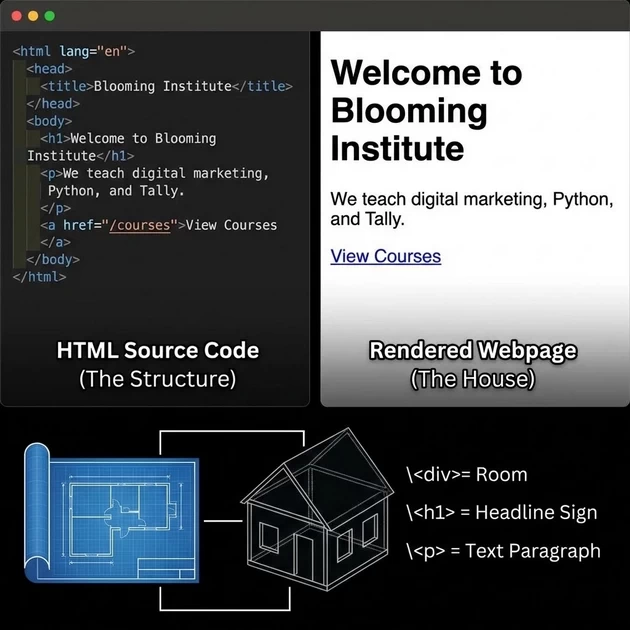
Live Demo: Right-click on www.bloomings.in → “View Page Source”
Teacher: “This messy-looking code is the blueprint of our house. Every <div> is a room, every <h1> is a headline sign, every <p> is a paragraph of text.”
Simple HTML Example:
<html>
  <head>
    <title>Blooming Institute</title>
  </head>
  <body>
    <h1>Welcome to Blooming Institute</h1>
    <p>We teach digital marketing, Python, and Tally.</p>
    <a href="/courses">View Courses</a>
  </body>
</html>
4.2 CSS – Cascading Style Sheets (The Decoration)
Teacher: “HTML builds the rooms. CSS makes them beautiful.”
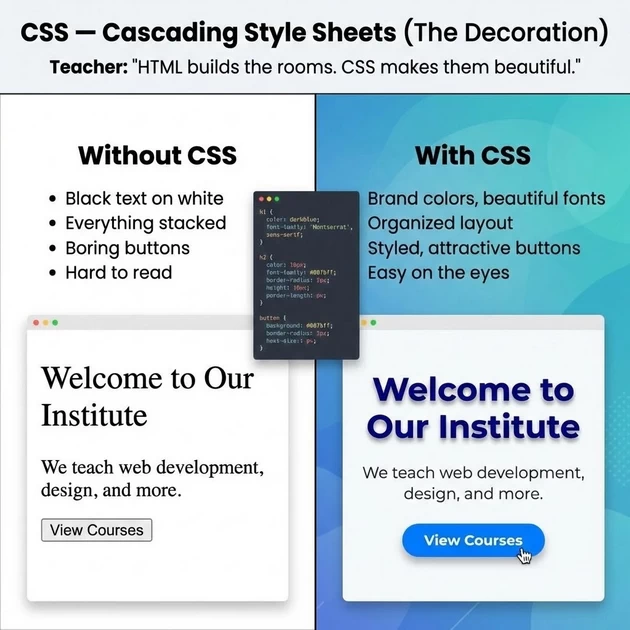
| Without CSS | With CSS |
|---|---|
| Black text on white | Brand colors, beautiful fonts |
| Everything stacked | Organized layout |
| Boring buttons | Styled, attractive buttons |
| Hard to read | Easy on the eyes |
Simple CSS Example:
body {
  font-family: 'Open Sans', sans-serif;
  background-color: #f5f5f5;
}

h1 {
  color: #2c3e50;
  font-size: 36px;
  text-align: center;
}

.button {
  background-color: #3498db;
  color: white;
  padding: 10px 20px;
  border-radius: 5px;
}
4.3 Why HTML/CSS Skills Matter in 2026
According to the 2026 Frontend Development Roadmap, semantic HTML and modern CSS are still non-negotiable foundations. Accessibility is now critical – accessibility failures can block releases in many organizations.
Job Market Reality: Web designer job postings consistently require HTML, CSS, WordPress, and Shopify skills.
Information Gain (2026 Secret):
“In 2026, knowing HTML/CSS is like knowing how to read and write. You can use website builders (like typing with voice), but to truly control your website, you need to understand the code. No-code tools are great, but when something breaks, the person who understands HTML/CSS fixes it.”
🔄 PART 5: STATIC VS. DYNAMIC WEBSITES – The “Brochure vs. Application”
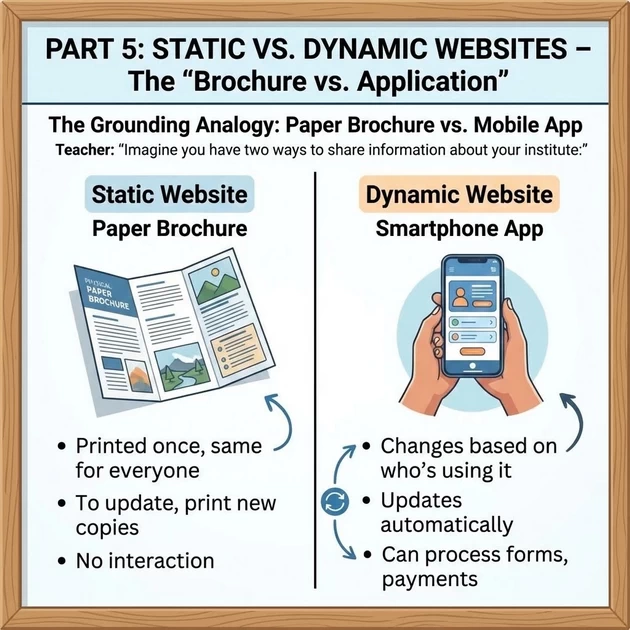
Paper Brochure vs. Mobile App
Teacher: “Imagine you have two ways to share information about your institute:”
| Static Website | Dynamic Website |
|---|---|
| Paper brochure | Smartphone app |
| Printed once, same for everyone | Changes based on who’s using it |
| To update, print new copies | Updates automatically |
| No interaction | Can process forms, payments |
5.1 Static Websites – The “Digital Brochure”
What It Is: Fixed content, same HTML/CSS files delivered to every visitor.
Characteristics:
| Feature | Static Site |
|---|---|
| Content | Same for everyone |
| Updates | Manual – edit HTML, re-upload |
| Database | No database needed |
| Speed | Very fast |
| Complexity | Simple |
| Best for | Brochure sites, portfolios, small business info pages |
Advantages:
✅ Faster loading
✅ Easier to host (cheaper)
✅ More secure (no database to hack)
✅ Great for performance
Disadvantages:
❌ Harder to update (edit each page individually)
❌ No user personalization
❌ Can’t handle forms without third-party services
❌ Not suitable for e-commerce
Static Site Resurgence:
Information Gain (2026 Secret): “There’s actually a resurgence in static websites! Modern tools make them easier to update, and they’re incredibly fast and secure. Many companies now use ‘static site generators’ for marketing sites.”
5.2 Dynamic Websites – The “Web Application”
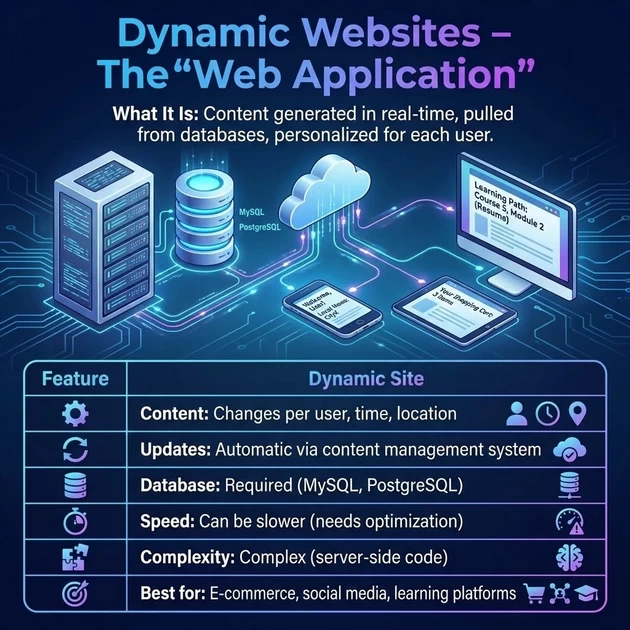
What It Is: Content generated in real-time, pulled from databases, personalized for each user.
Characteristics:
| Feature | Dynamic Site |
|---|---|
| Content | Changes per user, time, location |
| Updates | Automatic via content management system |
| Database | Required (MySQL, PostgreSQL) |
| Speed | Can be slower (needs optimization) |
| Complexity | Complex (server-side code) |
| Best for | E-commerce, social media, learning platforms |
Technologies Used:
Server-side languages: PHP, Python, Node.js, Ruby
Client-side frameworks: React, Angular, Vue.js
Databases: MySQL, MongoDB, PostgreSQL
CMS: WordPress, Shopify, Drupal
Advantages:
✅ Easy to update (admin panels)
✅ Personalized user experiences
✅ User accounts, comments, forums
✅ E-commerce, payments, bookings
✅ Scales with content
Disadvantages:
❌ Slower if not optimized
❌ More complex to build
❌ Security risks (database attacks)
❌ Higher hosting costs
5.3 Which One Does Blooming Institute Need?
Class Discussion:
| Need | Static | Dynamic |
|---|---|---|
| Show course information | ✅ Works | ✅ Works |
| Update course dates frequently | ❌ Manual | ✅ Easy |
| Student login/portal | ❌ No | ✅ Yes |
| Online payments | ❌ No | ✅ Yes |
| Blog with new posts | ❌ Manual | ✅ Easy |
| Contact form | ❌ Needs third-party | ✅ Built-in |
Conclusion: Blooming Institute likely needs a dynamic website for:
Student portals
Course registration
Payment processing
Regular updates
Blog content
📱 PART 6: RESPONSIVE WEB DESIGN – The “Shape-Shifting” Magic
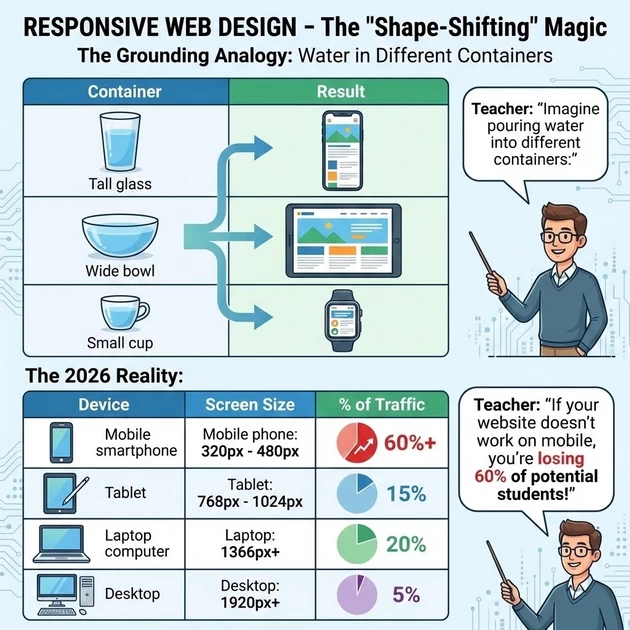
The Grounding Analogy: Water in Different Containers
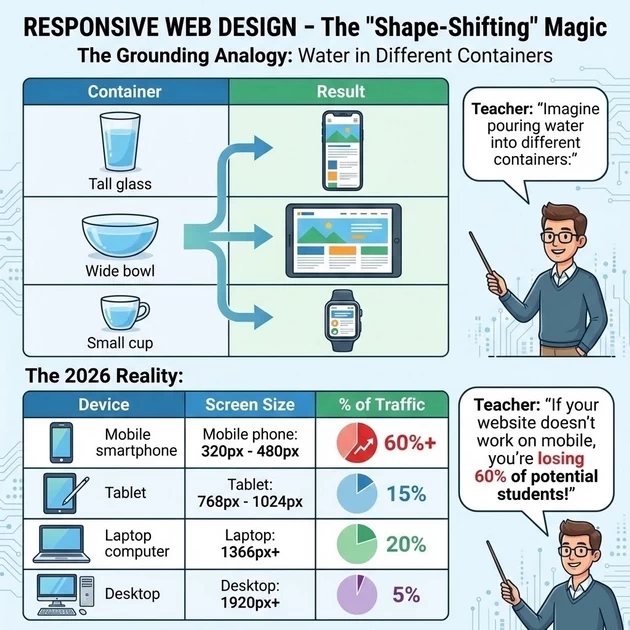
Teacher: “Imagine pouring water into different containers:”
| Container | Result |
|---|---|
| Tall glass | Water takes tall shape |
| Wide bowl | Water takes wide shape |
| Small cup | Water takes small shape |
Responsive design does the same with websites.
The 2026 Reality:
| Device | Screen Size | % of Traffic |
|---|---|---|
| Mobile phone | 320px – 480px | 60%+ |
| Tablet | 768px – 1024px | 15% |
| Laptop | 1366px+ | 20% |
| Desktop | 1920px+ | 5% |
Teacher: “If your website doesn’t work on mobile, you’re losing 60% of potential students!”
What Responsive Design Does:
Without Responsive (Fixed Width):
Desktop:    [ Beautiful website with 3 columns ]
Mobile:     [ Tiny text you need to pinch and zoom ]
With Responsive:
Desktop:    [ Beautiful website with 3 columns ]
Mobile:     [ Single column, readable text, big buttons ]
How It Works:
| Technique | What It Does |
|---|---|
| Flexible grids | Percentages instead of fixed pixels |
| Fluid images | Images scale with screen |
| Media queries | CSS detects screen size and applies different styles |
| Breakpoints | Specific widths where layout changes |
Common Breakpoints (2026):
| Screen Width | Device |
|---|---|
| 320px | Small mobile phones |
| 480px | Larger mobile/small tablets |
| 768px | Tablets (portrait) |
| 1024px | Tablets (landscape)/small laptops |
| 1366px | Standard desktop |
| 1920px | Large desktop monitors |
The “Mobile-First” Philosophy
Teacher: “In 2026, we don’t ‘shrink’ desktop sites for mobile. We design for mobile FIRST, then expand for larger screens. Why? Because that’s where most users are.”
Mobile-First Benefits:
| Benefit | Why |
|---|---|
| Better performance | Forces you to optimize |
| Better UX | Mobile users get best experience |
| Better SEO | Google prioritizes mobile-friendly sites |
| Future-proof | New devices keep getting smaller |
Information Gain (2026 Secret):
“Google now uses mobile-first indexing. That means Google looks at your MOBILE site first to decide your search ranking. If your mobile site is bad, your SEO is bad.”
✅ PART 7: BENEFITS OF HAVING A WEBSITE FOR BLOOMING INSTITUTE
Live Demo Using www.bloomings.in
Benefit 1: Credibility
Teacher: “Would you trust an institute more if they had this website or just a Facebook page?”
| With Website | Without Website |
|---|---|
| Professional image | “Are they legit?” |
| Showcase courses | Limited info |
| Student testimonials | No social proof |
| ISO certification visible | Can’t prove claims |
Benefit 2: 24/7 Availability
Teacher: “Your office closes at 6 PM. Your website works at 2 AM when students are searching.”
| Time | Office | Website |
|---|---|---|
| 2 AM | Closed | Open |
| Sunday | Closed | Open |
| Holiday | Closed | Open |
Benefit 3: Lead Generation
Teacher: “Every visitor can become a lead through:”
📝 Contact forms
📞 Phone number clicks
💬 WhatsApp integration
📧 Newsletter signups
🎓 Course inquiry forms
Benefit 4: Control
| Platform | Control |
|---|---|
| They own your audience | |
| They change algorithm | |
| Your Website | You own everything |
Benefit 5: Analytics
Live Demo: Show Google Analytics for bloomings.in
| You Can See | Why It Matters |
|---|---|
| How many visitors | Track growth |
| Where they come from | Focus marketing |
| What they click | Improve content |
| Which courses interest them | Plan offerings |
Benefit 6: SEO – Being Found
Teacher: “When someone searches ‘digital marketing course Trichy’, where do they find you?”
Live Demo: Search on Google and show where bloomings.in ranks.
🤫 PART 8: 2026 SECRETS – What No One Tells You
Secret #1: The “Performance Tax”
Teacher: “In 2026, speed is a ranking factor. Google measures:”
| Metric | Target |
|---|---|
| Load time | Under 2.5 seconds |
| First contentful paint | Under 1.8 seconds |
| Time to interactive | Under 3.9 seconds |
The Secret: For every 1-second delay, you lose 7% of conversions. A slow website is throwing money away.
Secret #2: Accessibility Is Now Law
Teacher: “In many countries, websites must be accessible to people with disabilities. In 2026, this is becoming law in more places.”
| Requirement | What It Means |
|---|---|
| Screen reader compatible | Blind users can navigate |
| Keyboard navigation | No mouse users |
| Color contrast | Color-blind users can read |
| Text sizing | Visually impaired can zoom |
The Secret: Accessibility failures can now block website launches in many organizations.
Secret #3: The “Static Site Comeback”
Teacher: “Remember static sites we said were hard to update? Modern tools called static site generators (like Next.js, Gatsby, Hugo) make them easy again.”
| Old Static | Modern Static (Jamstack) |
|---|---|
| Manual HTML edits | Markdown + templates |
| No dynamic features | APIs add functionality |
| Hard to update | Git-based workflows |
| Basic sites | Complex sites possible |
Why it’s growing: Speed + security + lower costs
Secret #4: AI Is Changing Everything
Teacher: “In 2026, AI tools can:”
| Task | AI Tool |
|---|---|
| Generate website copy | ChatGPT, Claude |
| Create images | Midjourney, DALL-E |
| Write code | GitHub Copilot |
| Design layouts | AI website builders |
| Optimize SEO | AI SEO tools |
The Secret: “You don’t need to learn LESS – you need to learn how to direct AI. The best web designers in 2026 are great prompt engineers.”
Secret #5: Core Web Vitals Are Everything
Teacher: “Google’s Core Web Vitals are now major ranking factors:”
| Metric | What It Measures | Target |
|---|---|---|
| LCP | Loading speed | Under 2.5s |
| INP | Interactivity | Under 200ms |
| CLS | Visual stability | Under 0.1 |
The Secret: “You can test your site at pagespeed.web.dev. If you fail these, your SEO suffers.”
PART 9: PRACTICAL EXERCISE – Website Audit
Activity: Audit www.bloomings.in
Part 1: Visual Audit (10 minutes)
Students evaluate:
| Question | Answer |
|---|---|
| Does it load quickly? | |
| Is it mobile-friendly? (Test on phones) | |
| Is the design professional? | |
| Can you easily find courses? | |
| Is contact info visible? |
Part 2: Technical Audit (10 minutes)
Use tools:
PageSpeed Insights (
pagespeed.web.dev) – Check performanceMobile-Friendly Test – Check responsiveness
WAVE – Check accessibility
View Source – Look at HTML structure
Part 3: Improvement Suggestions (10 minutes)
Each student writes 3 improvements for bloomings.in:
Share & Discuss
Best ideas get implemented!